
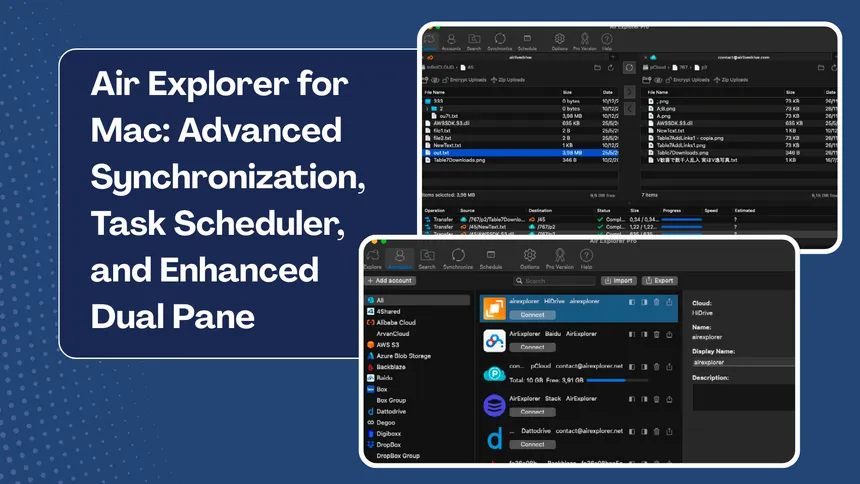
In today’s data-driven landscape, flexibility is the cornerstone of productivity. Whether you operate in a corporate environment powered by Windows or within the creative ecosystem of Mac, the need to centralize and streamline your files is universal. Air Explorer has evolved to provide a consistent and powerful desktop experience across both platforms, allowing users to manage over 40 cloud storage services from a single, unified interface.
While the Windows version is renowned for its deep integration and support for custom enterprise applications, Air Explorer for Mac has been specifically engineered to leverage the efficiency and design philosophy of macOS. The advantage of using Air Explorer on Mac goes beyond its native compatibility with Apple Silicon processors, which enAir Explorer for Mac: Advanced Synchronization, Task Scheduler, and Enhanced Dual Panesures fluid performance and optimized battery life, it also serves as a robust bridge between the Mac Finder and the complexity of multiple clouds like Google Drive, OneDrive, MEGA, and advanced protocols such as S3 or SFTP.
What’s in Air Explorer for Mac?
This latest update is more than just a visual refresh; it is a complete re-engineering focused on the professional user who demands automation and security. Here are the key tools and features defining the current version:
Task Scheduler
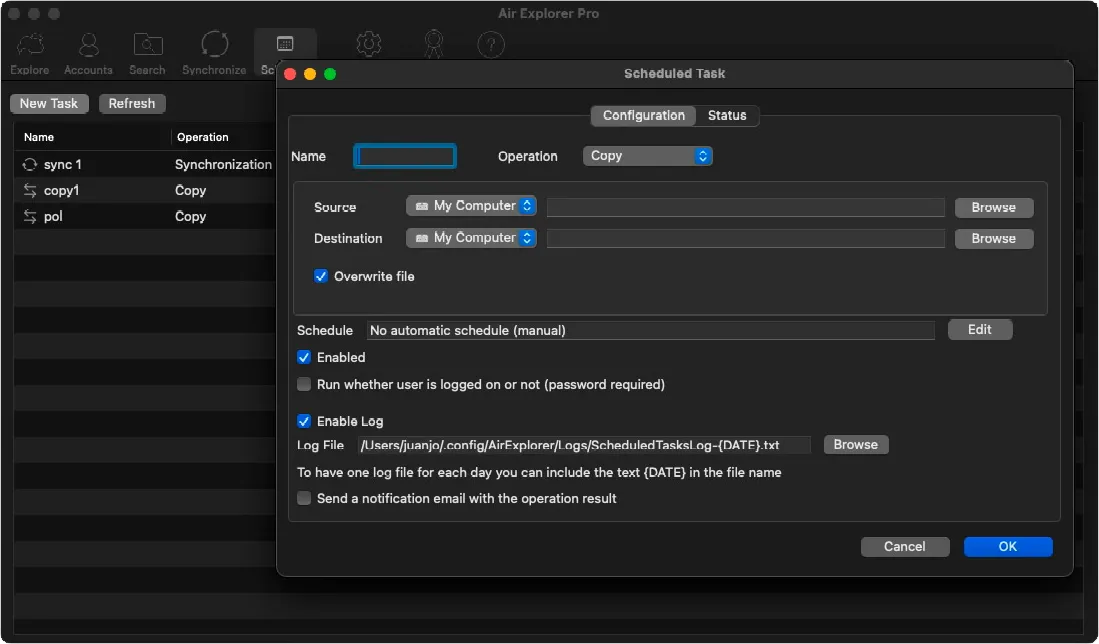
Automation is the pillar of modern data management. The new integrated Scheduler allows Mac users to automate file transfers and synchronizations to run unattended.
- Custom Frequencies: Set up daily or weekly tasks, or trigger them automatically at system login.
- Background Execution: Scheduled tasks can operate even if the main Air Explorer interface is closed.
- Detailed Logs: Generate reports for every operation to ensure your backups are completed successfully.
Enhanced Dual Pane and File Management
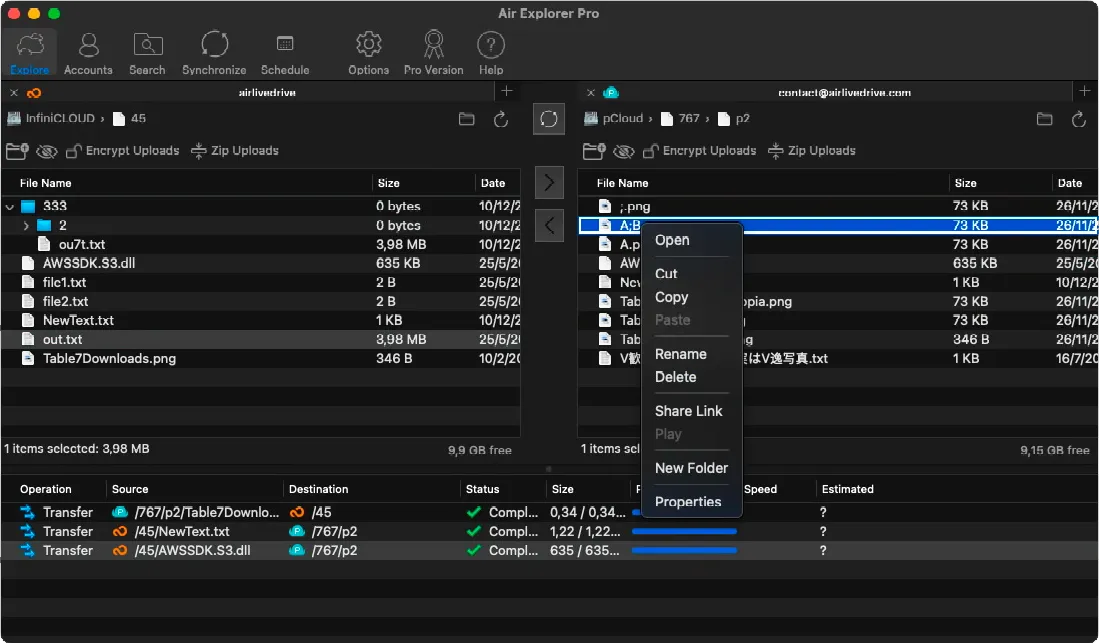
The iconic dual-pane interface has been optimized to offer a more intuitive “drag and drop” experience.
- Direct Transfer: Move files directly between clouds (e.g., from Dropbox to Google Drive) without downloading them to your local disk first, saving significant time and bandwidth.
- Mac Integration: Open local folders from your computer directly within Air Explorer and organize files with the same ease as cloud-based data.
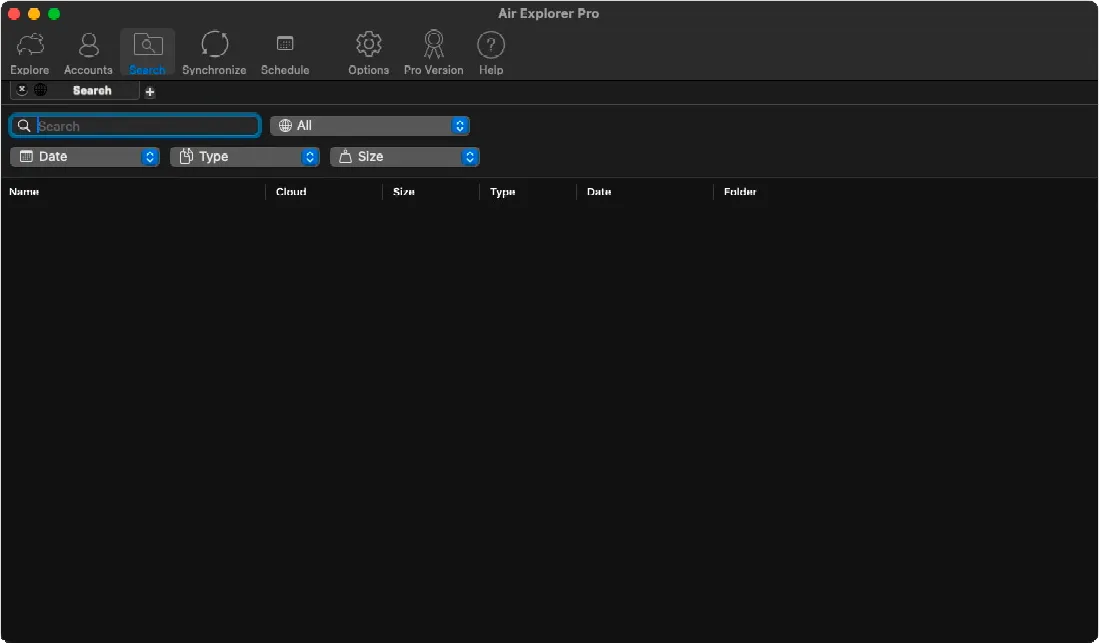
Centralized Search with Advanced Filters
Finding a specific file among terabytes of data spread across various accounts can be a challenge. Air Explorer’s search tool solves this by allowing global searches across all connected clouds simultaneously.
- Multi-Tab Search: Perform several searches at once without losing your progress.
- Precision Filtering: Filter results by size, file type (PDF, images, videos), and modification date.
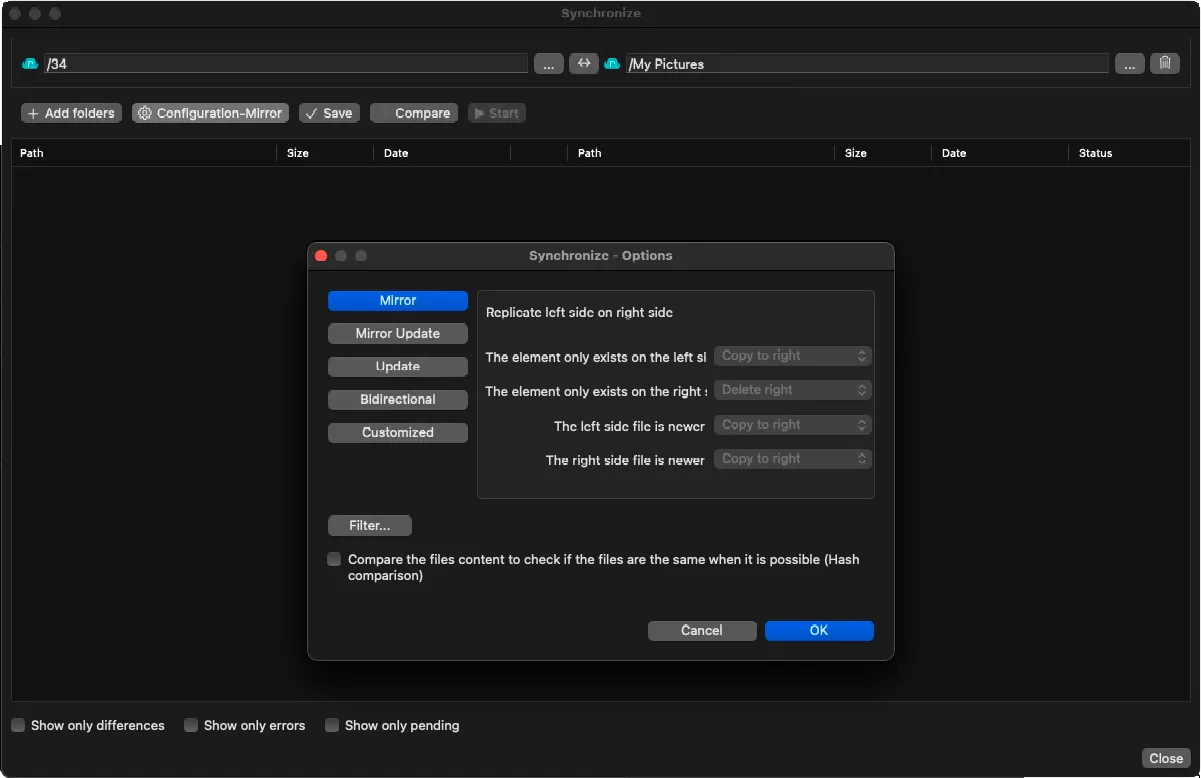
Synchronization and Filters
Synchronization is no longer an “all or nothing” process. The new version introduces advanced synchronization filters.
- Versatile Modes: Choose between Mirror, Bidirectional, Update, or custom configurations to replicate exactly what you need.
- File Exclusion: Define powerful rules to include or exclude specific files based on extensions or naming patterns.
Bank-Grade Security: End-to-End Encryption
Privacy is non-negotiable. Air Explorer allows you to add an extra layer of security to clouds that do not offer native encryption.
- Content and Name Encryption: You don’t just protect the file content; you can also encrypt file and folder names to make them unreadable to unauthorized parties.
- Startup Password: Lock access to the entire application with a master password to protect all your stored cloud credentials.
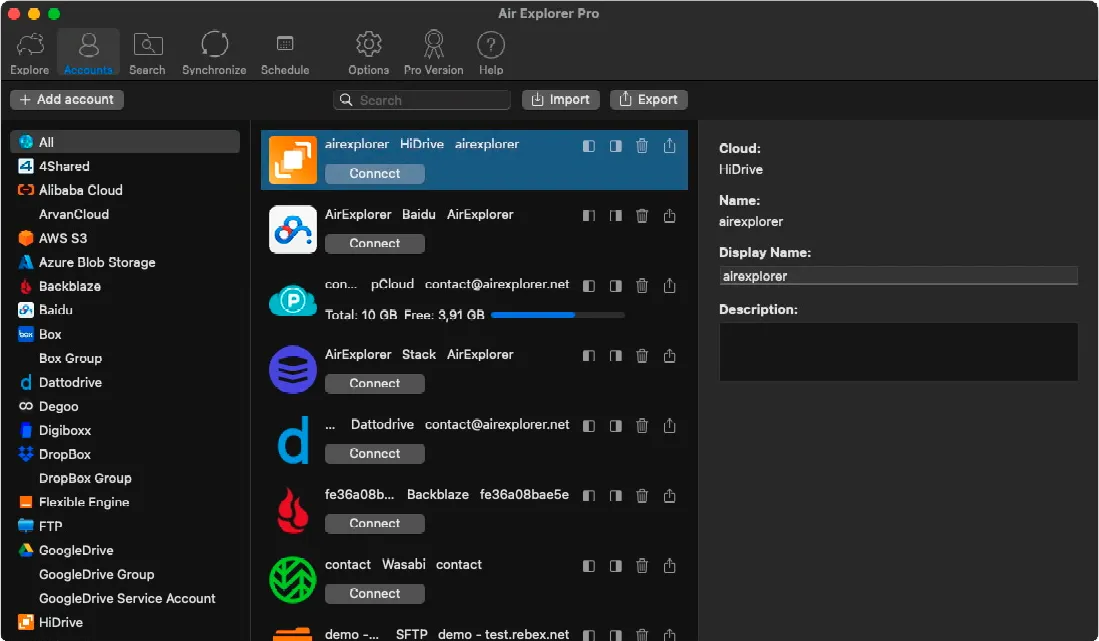
Account Management and Categories
For users with dozens of accounts, the new account management screen makes organization effortless.
- Custom Categories: Group your clouds into categories like “Work,” “Personal,” or “Backups” for instant access.
- Multi-Account Support: Add multiple accounts from the same provider (e.g., three different Google Drive accounts) and manage them independently.
Conclusion: The Definitive Tool for Mac Users
With this update, Air Explorer for Mac positions itself as much more than a simple cloud client; it is a data operations hub. Whether you need to free up space on your local drive, automate your business backups, or simply bring order to your scattered digital life, Air Explorer provides the power and security needed to take total control.
You can check more information about more features here:
-How to Transfer Files from Google Drive to OneDrive Without Downloading Them
-Google Drive to OneDrive: How to automate syncs with Air Explorer’s command line
-How to configure multiple sync tasks