Google Drive setup guide
Here is how to create your own Google Drive client ID for Air Explorer:
Create a Google Cloud project
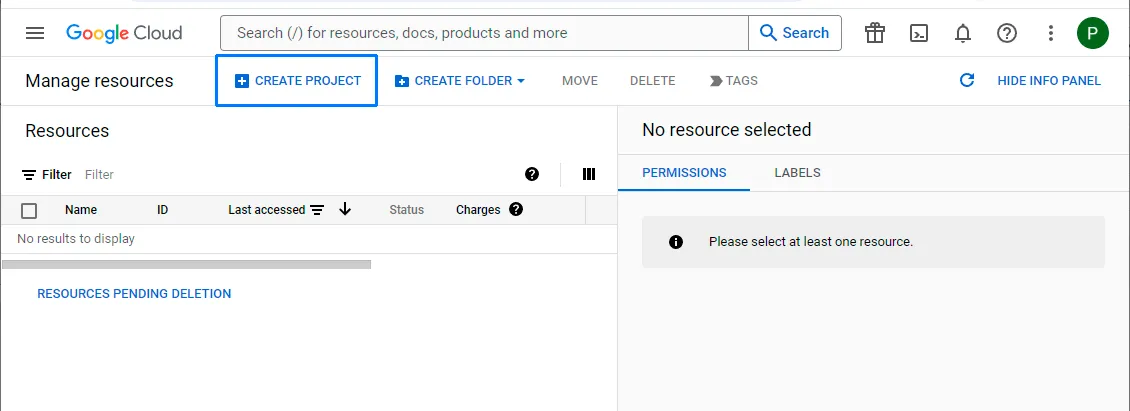
Sign in toGoogle Cloud Resource Managerand CREATE PROYECT. The choice of Google account is flexible, and it doesn’t have to match the account associated with the Google Drive you intend to access.
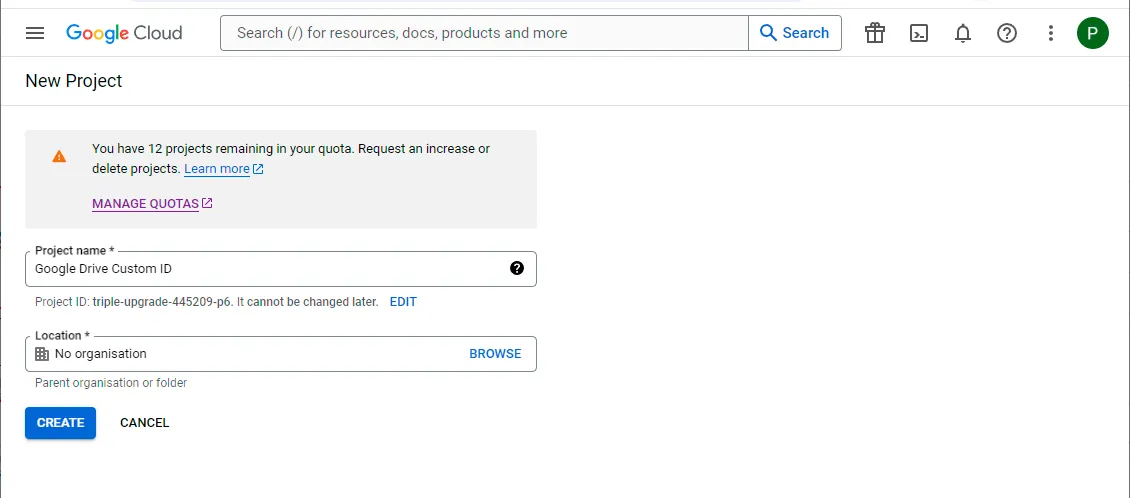
A prompt will appear, asking you to choose a name for your project. Enter, for example, “Google Drive Custom ID” for the project name. And click on CREATE.
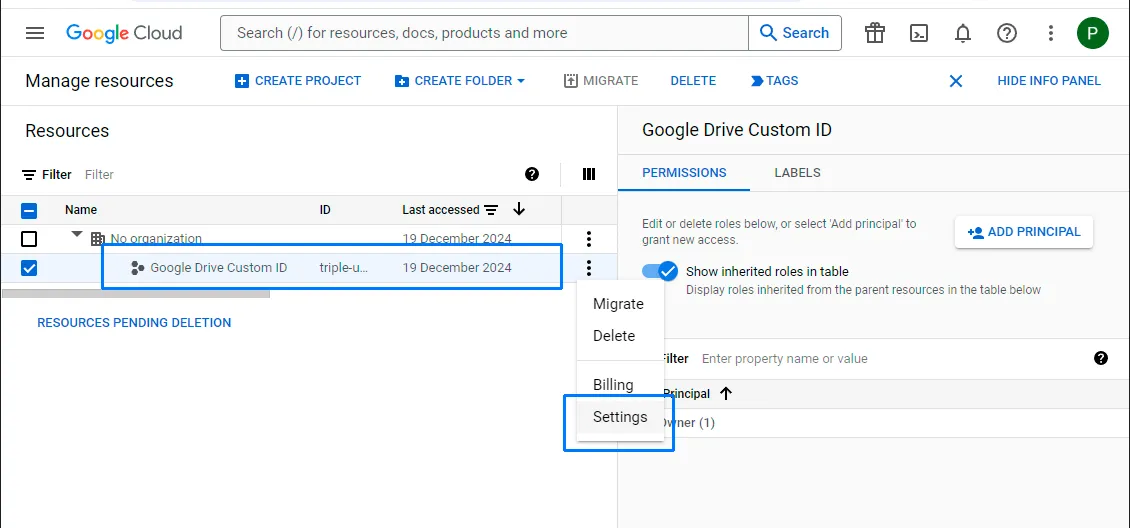
Select the project you have just created and enter in the project Settings.
Enable the Google Drive API
Click on the menu button to show the project menu.
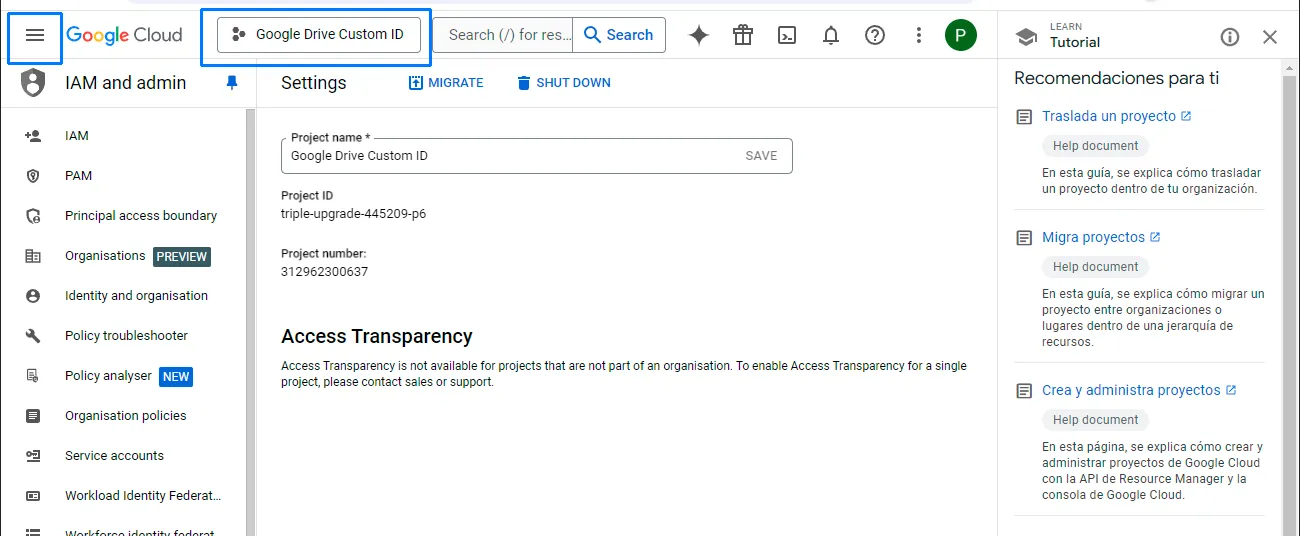
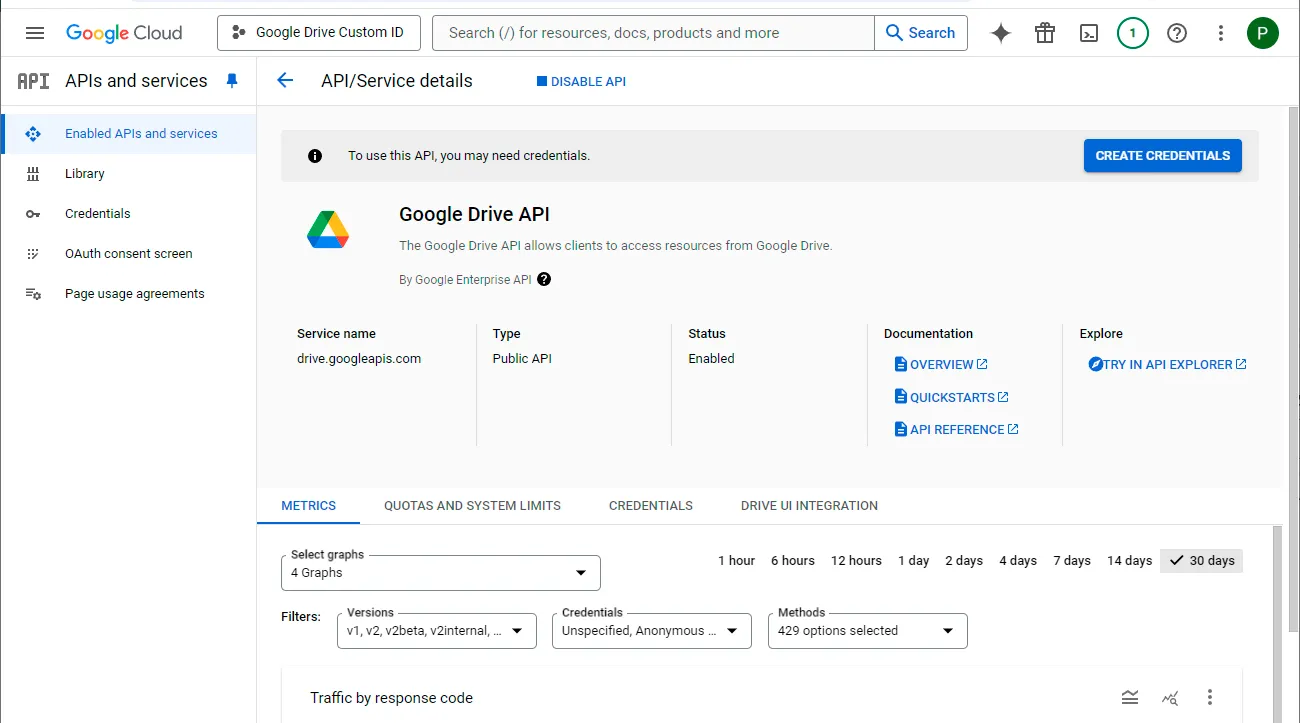
Navigate to APIs & Services and click on Enabled APIs & services.
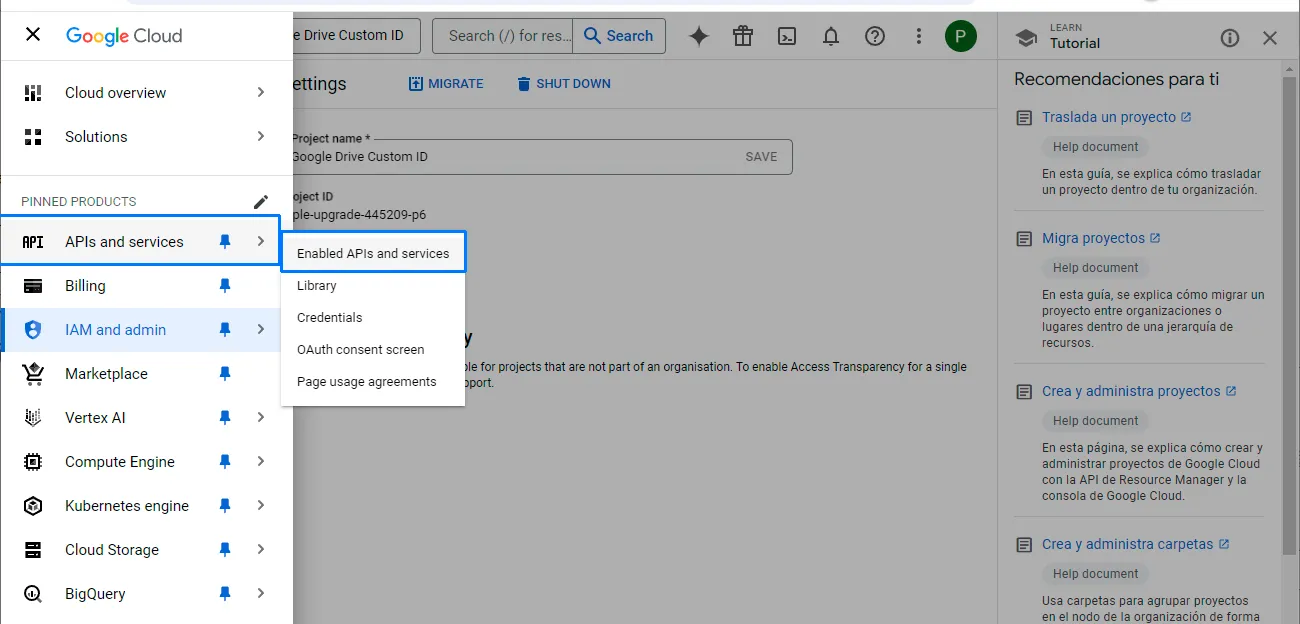
Select ENABLE APIS AND SERVICES.
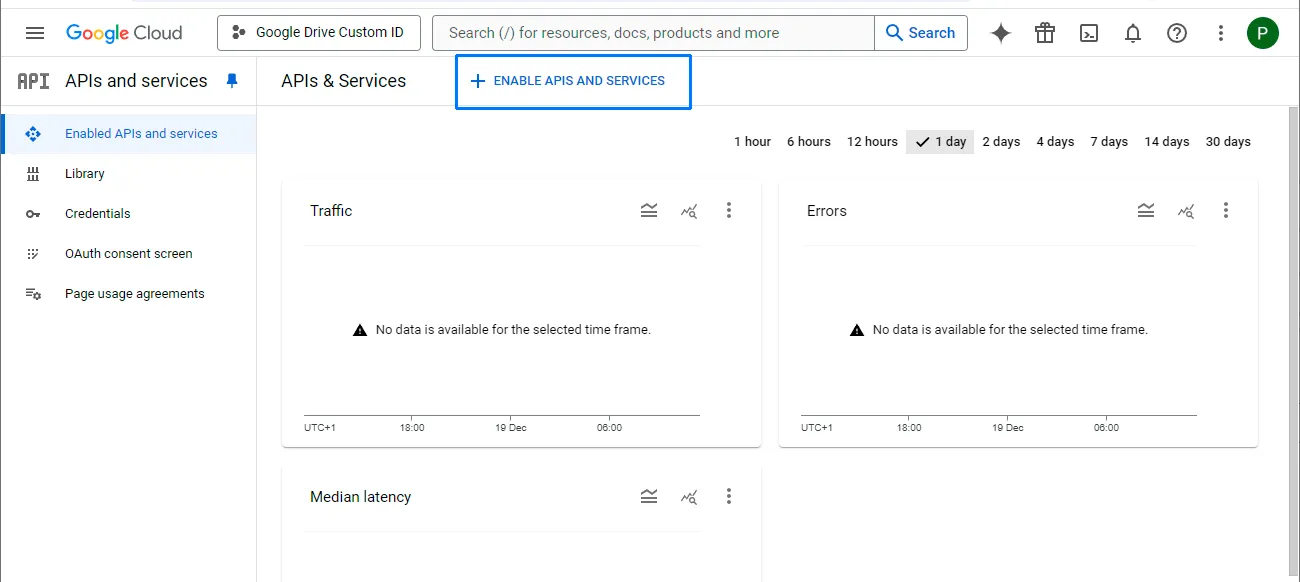
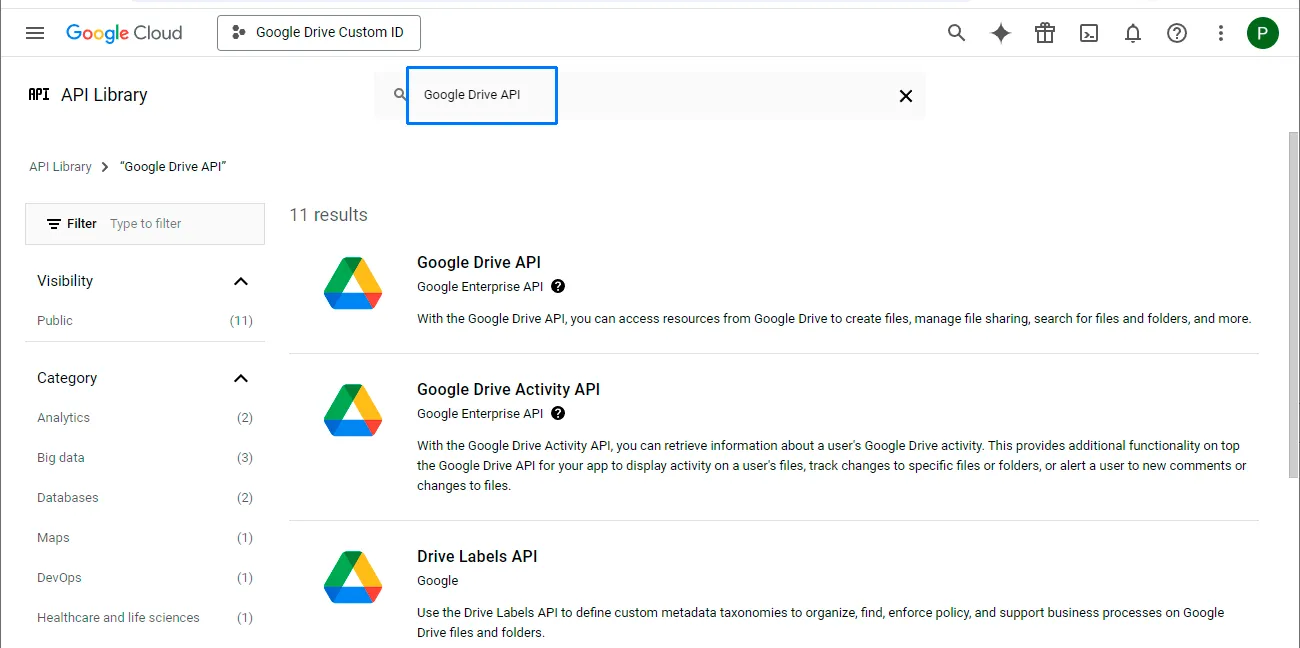
In the search box of the API library, search for “Google Drive API”.
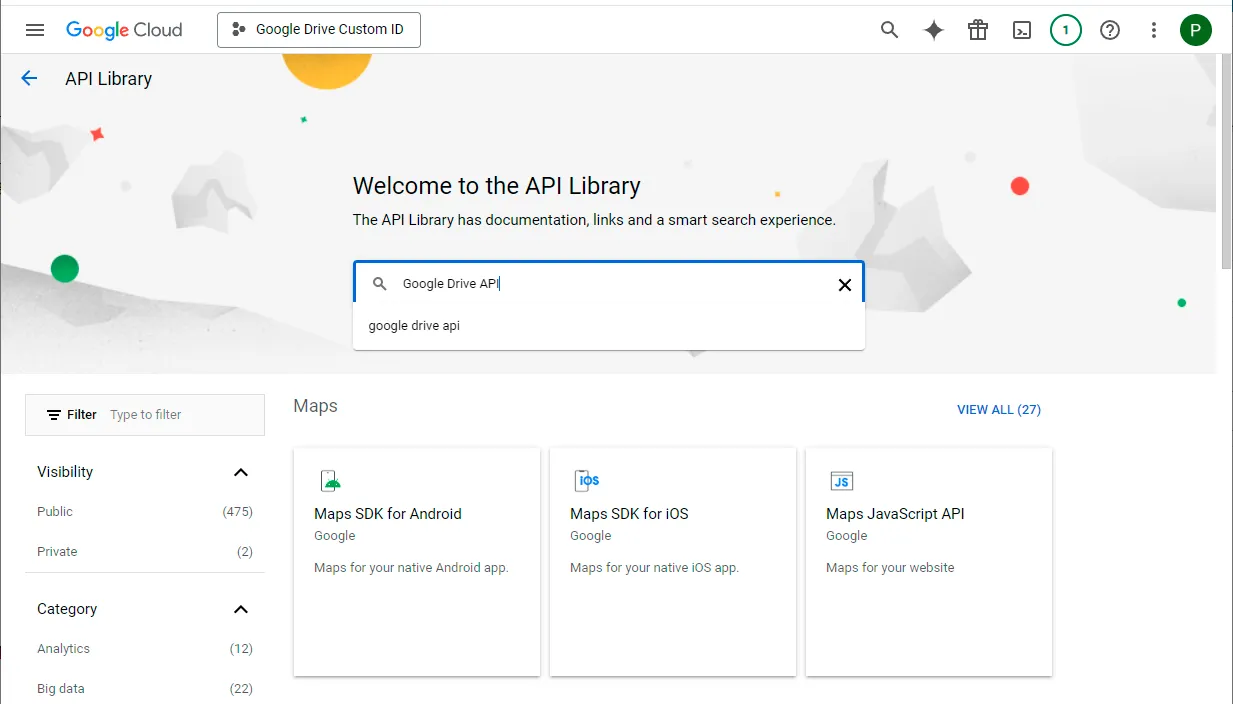
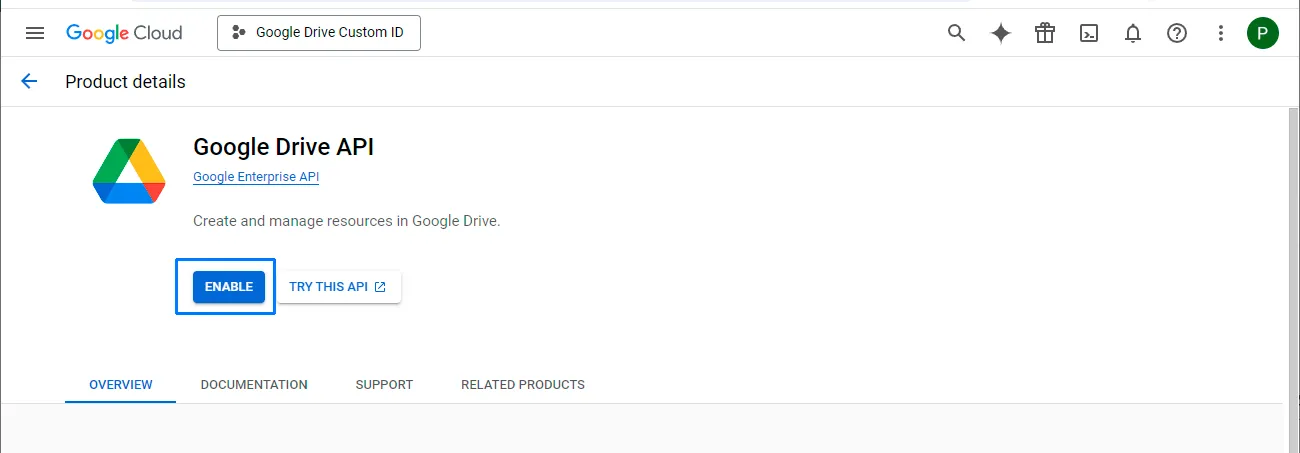
Select Google Drive API from the search results and choose Enable.
Configure the OAuth consent screen
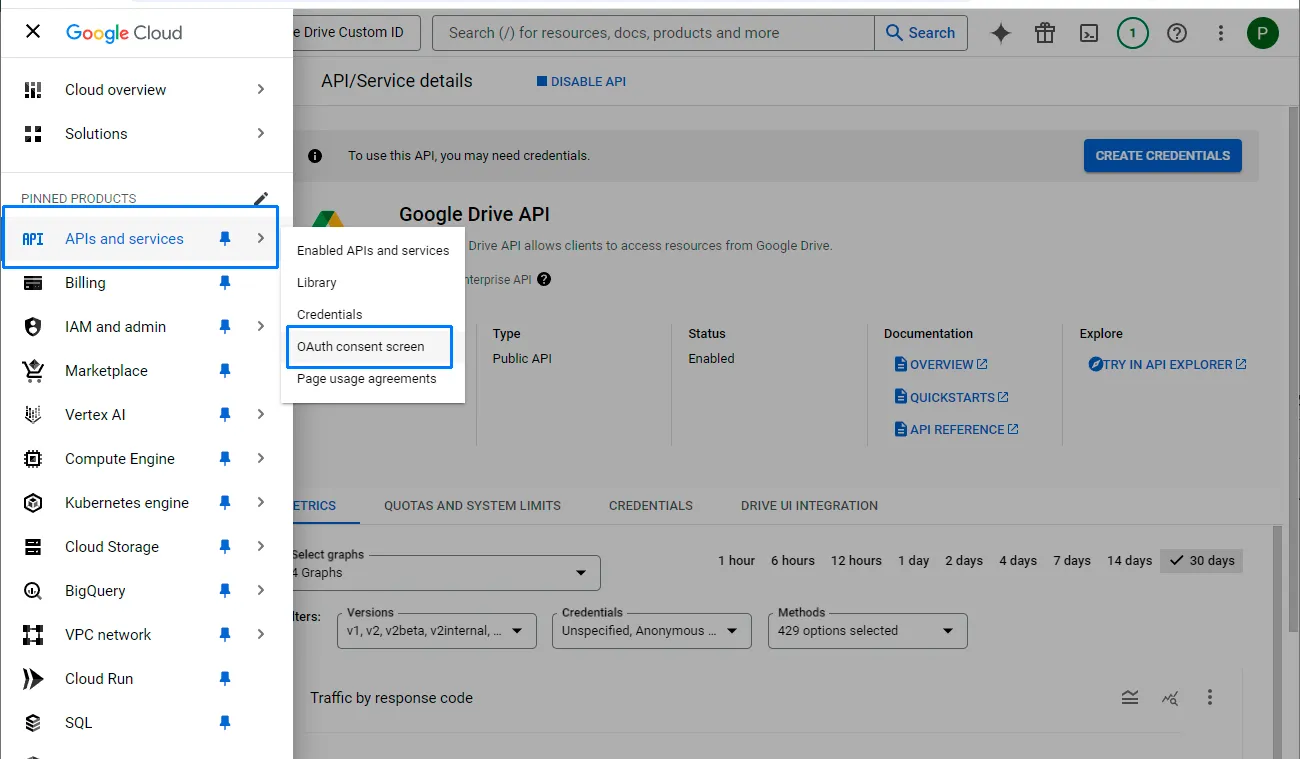
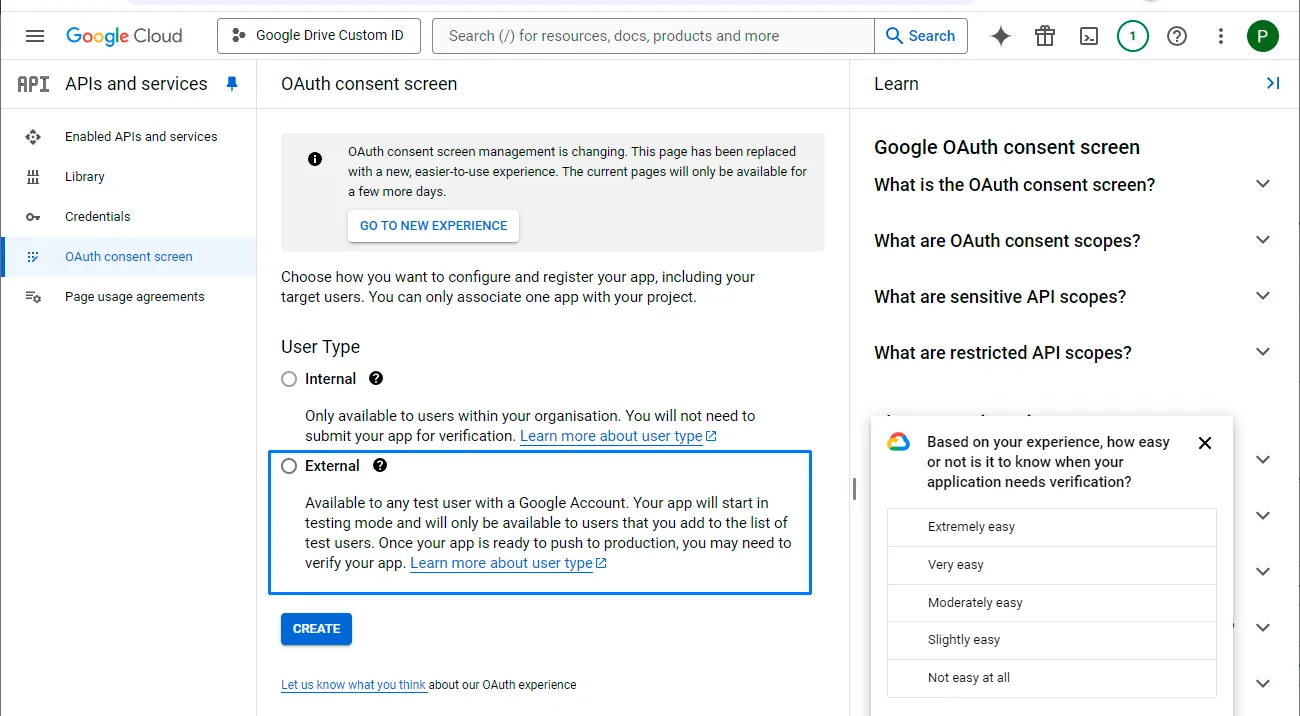
Navigate to APIs & services and click on OAuth consent screen.
Choose External. You can choose Internal if you want to use this app ID within your company only. And click on CREATE.
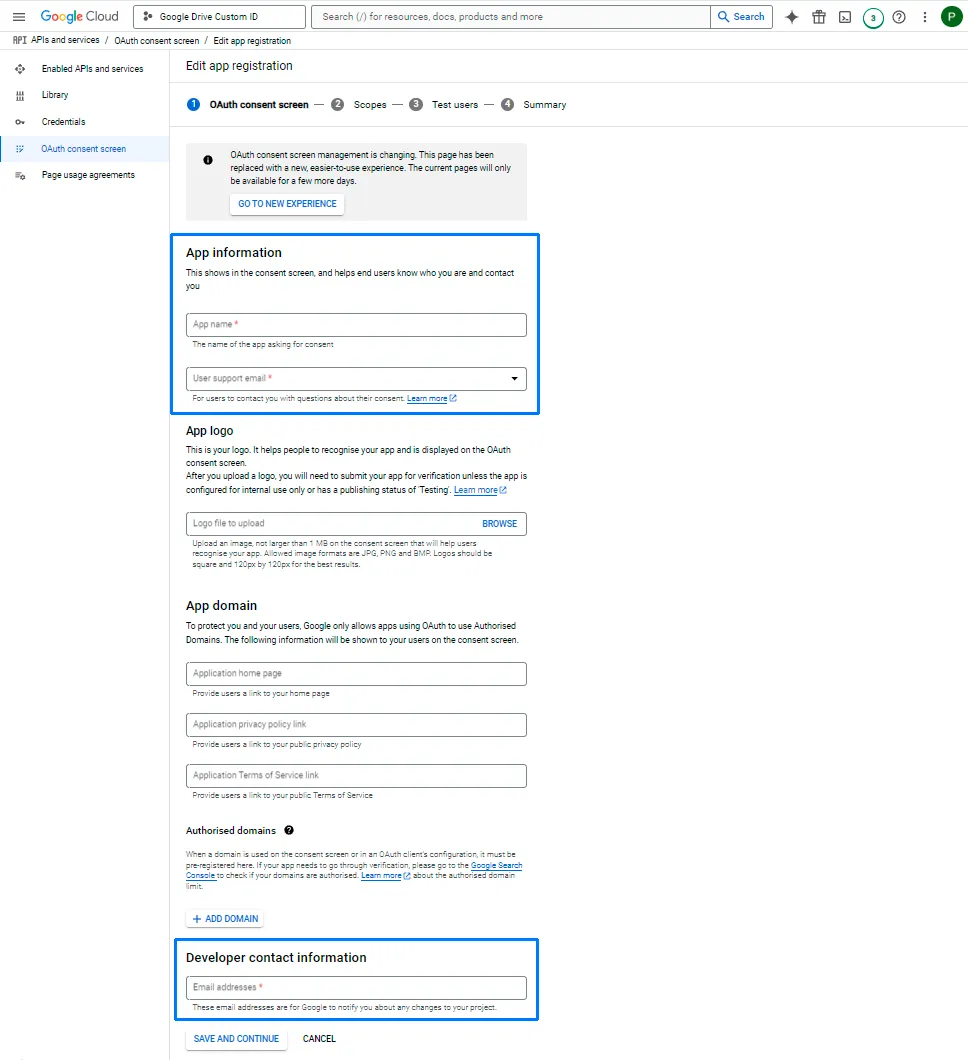
Enter the app details
Enter an “App name” (“Google Drive Custom ID” is OK); enter “User Support Email” (your own email is OK). Use the same email as the “Developer contact information”. Click on SAVE AND CONTINUE.
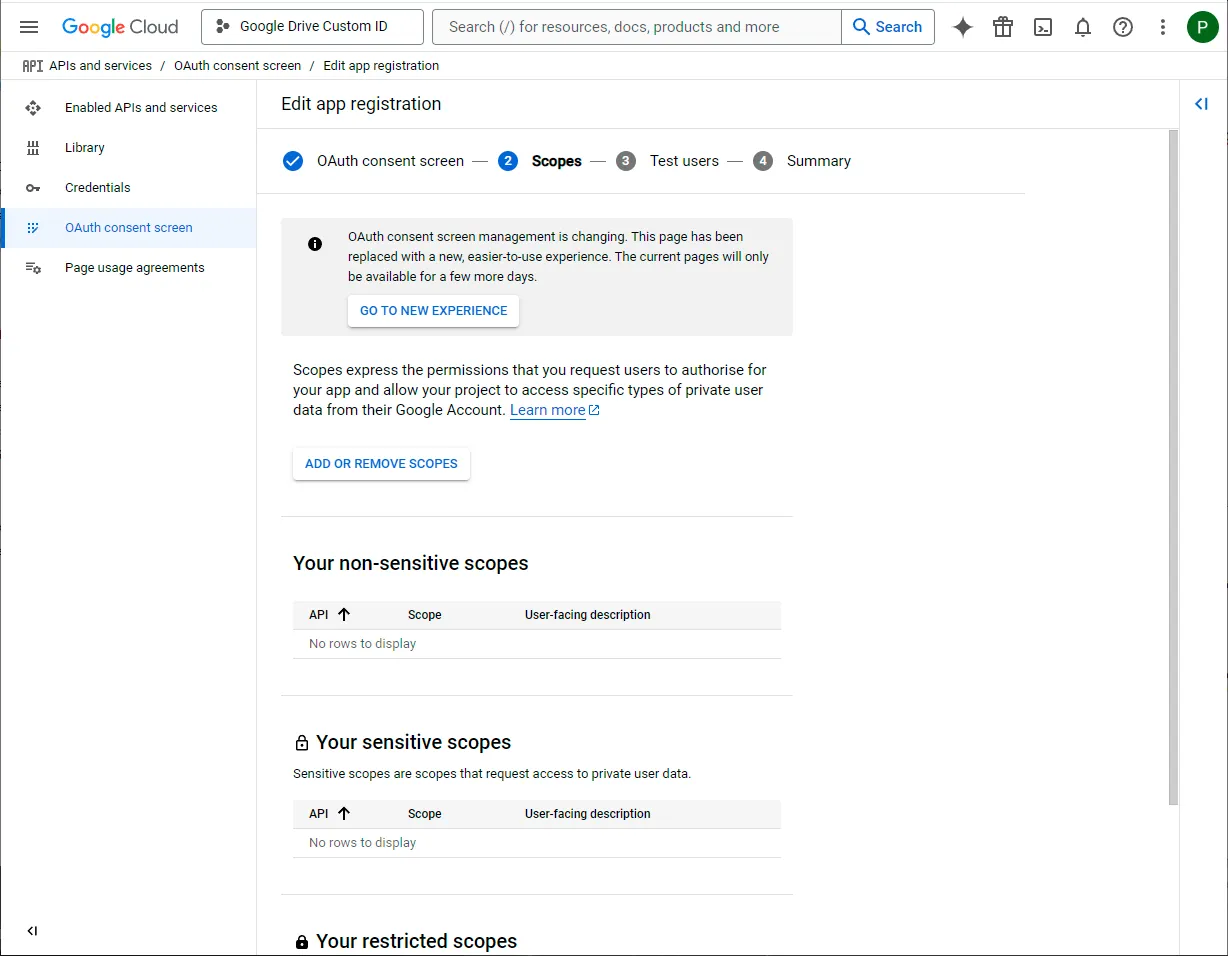
Add the Google Drive scope
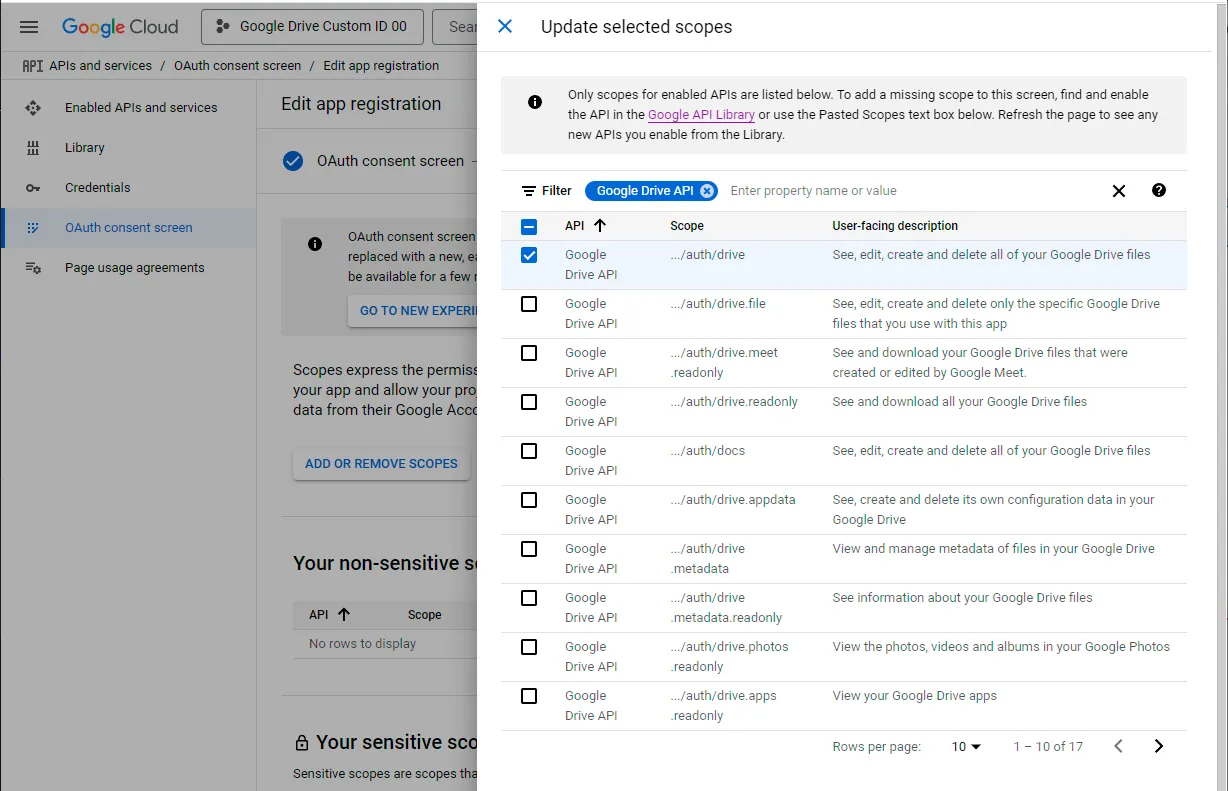
Click on ADD OR REMOVE SCOPES.
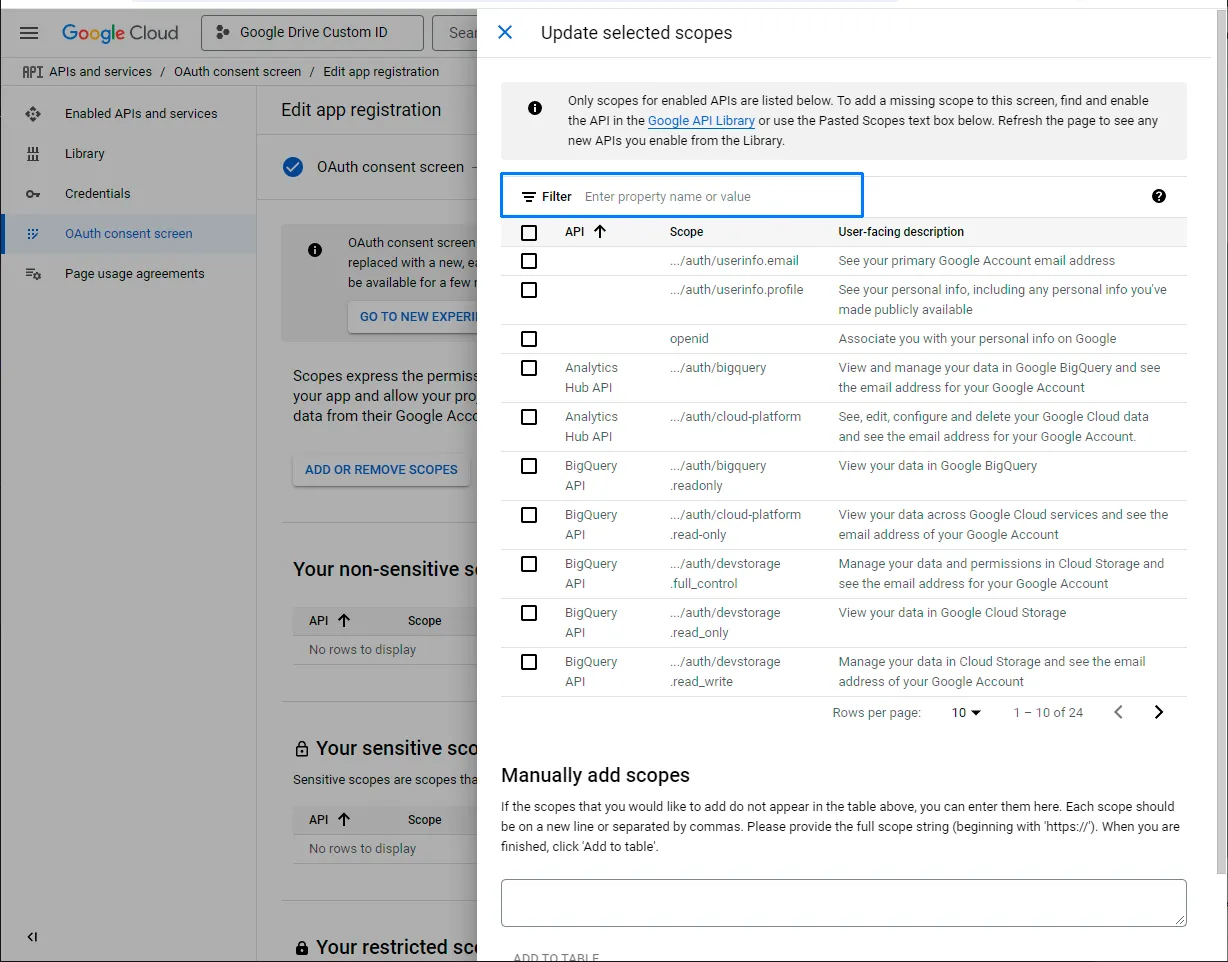
Filter for “Google Drive API” and enable the scope …/auth/drive and click on UPDATE.
Click on SAVE at the bottom.
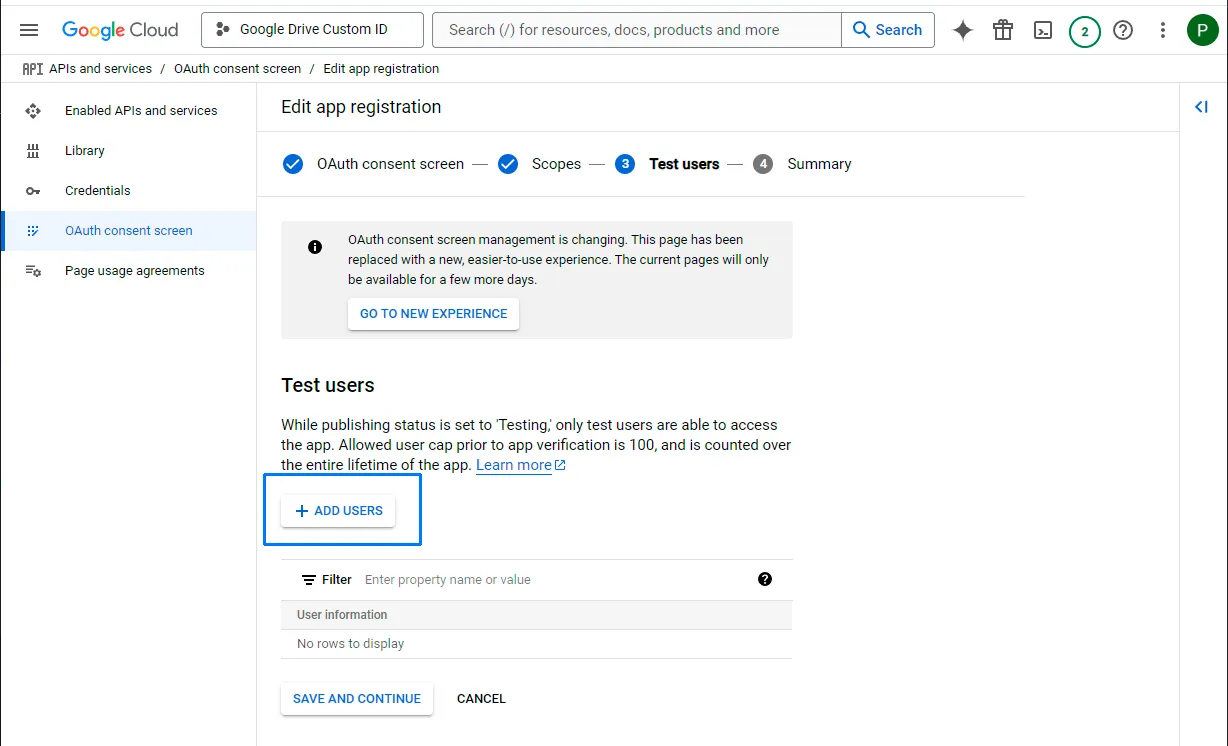
Add a test user
Add a test user. You can add yourself as a test user.
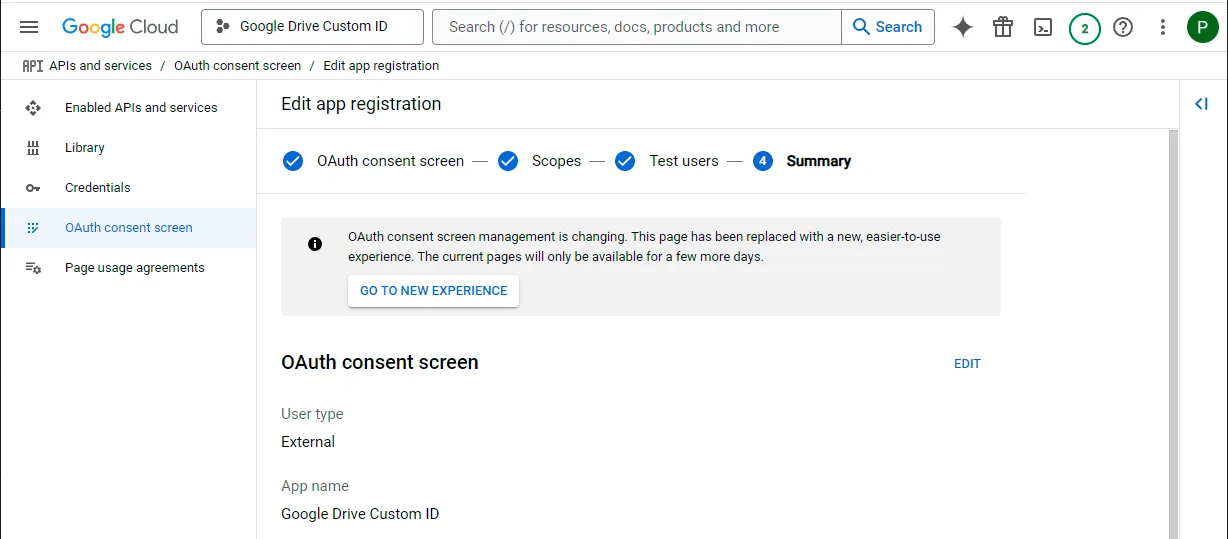
Create OAuth credentials
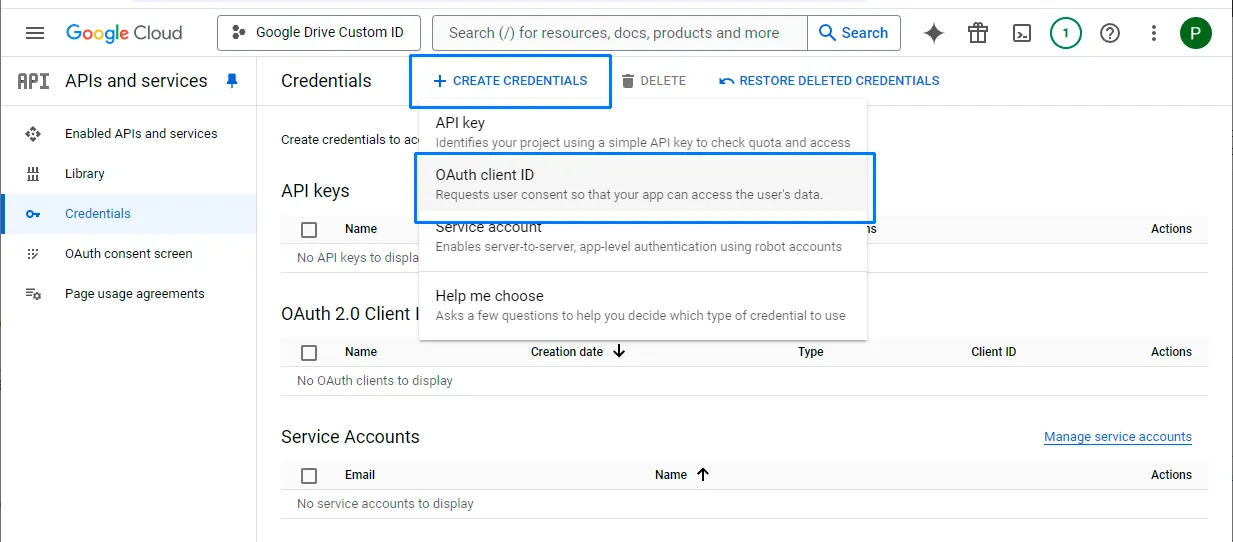
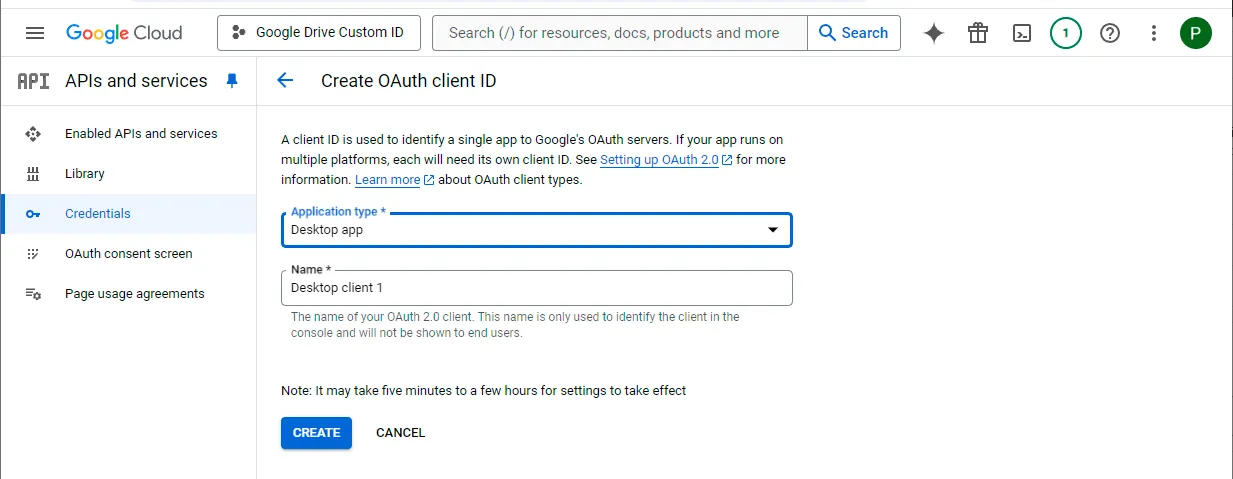
Select Credentials and click on the CREATE CREDENTIALS button at the top of the screen, then select “OAuth client ID”.
Choose a desktop app
Choose an Application type of “Desktop app” and click “Create”. (The default name is fine.)
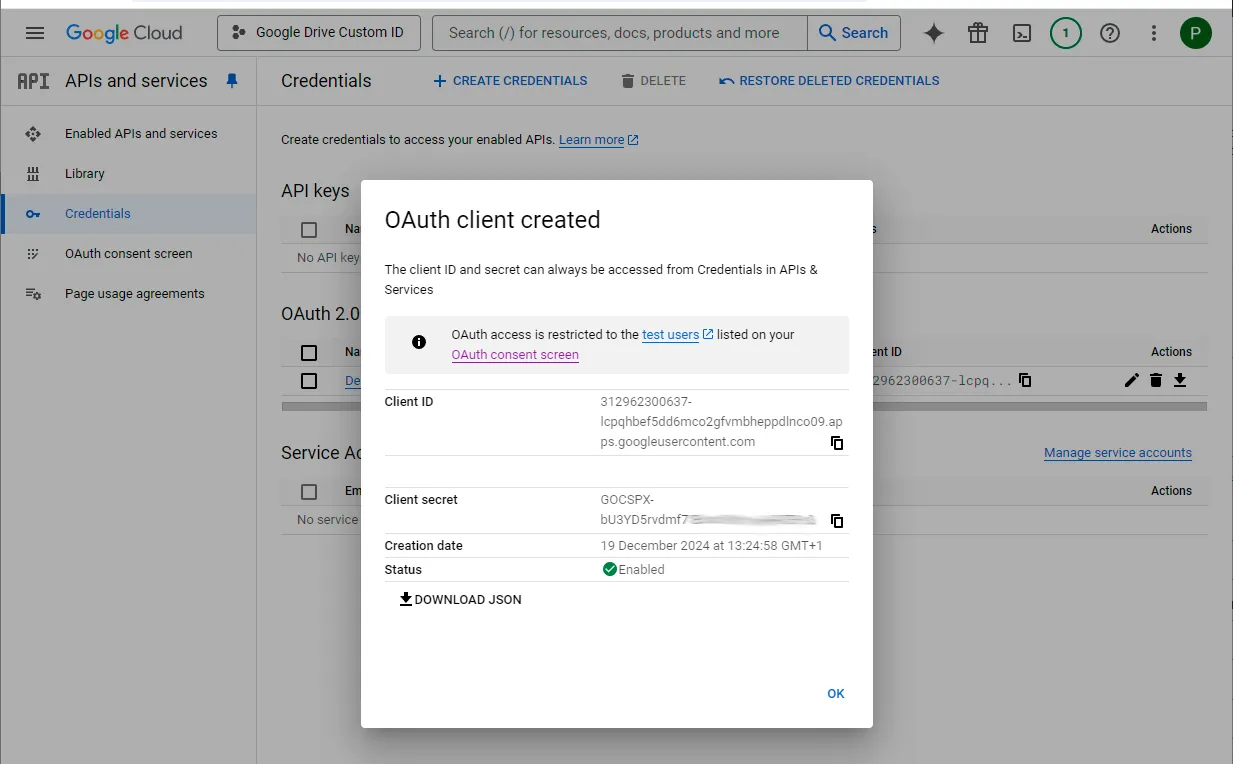
Copy the client credentials
It will show you a client ID and client secret that you will need to enter in Air Explorer.
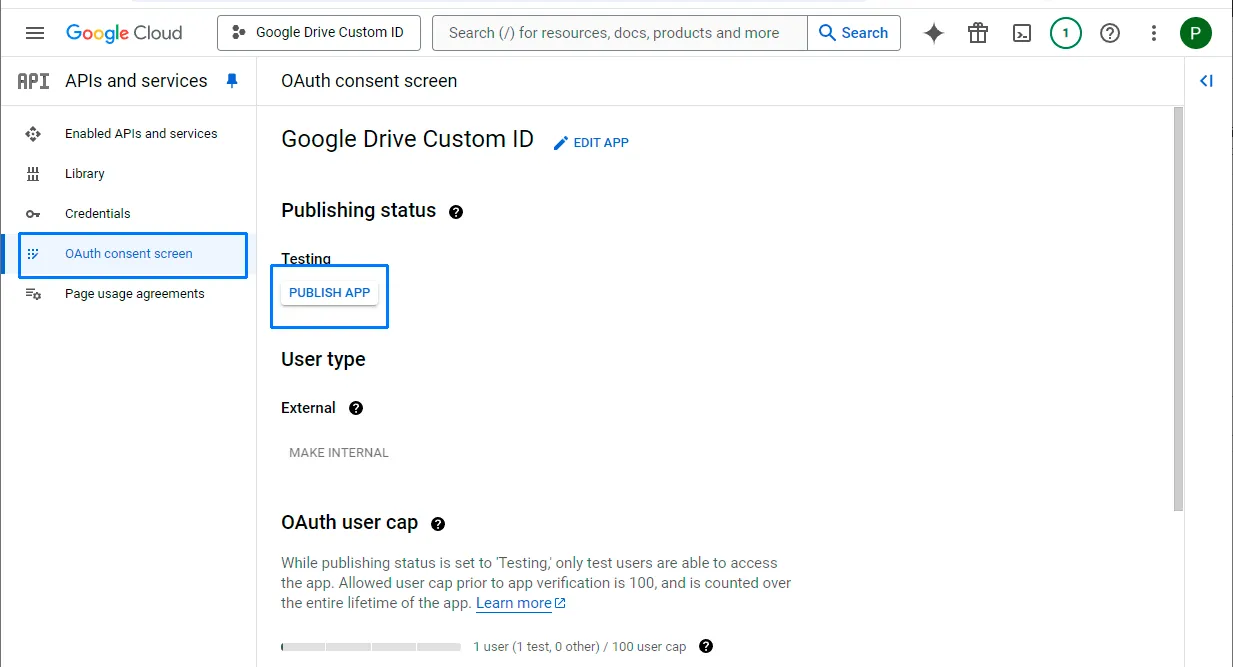
Publish the app
Go to “Oauth consent screen” and then click “PUBLISH APP” button and confirm.
Use the credentials in Air Explorer
Provide the noted client ID and client secret to Air Explorer.
Add the Google Drive account in the icon “GoogleDrive Custom Client Id”.
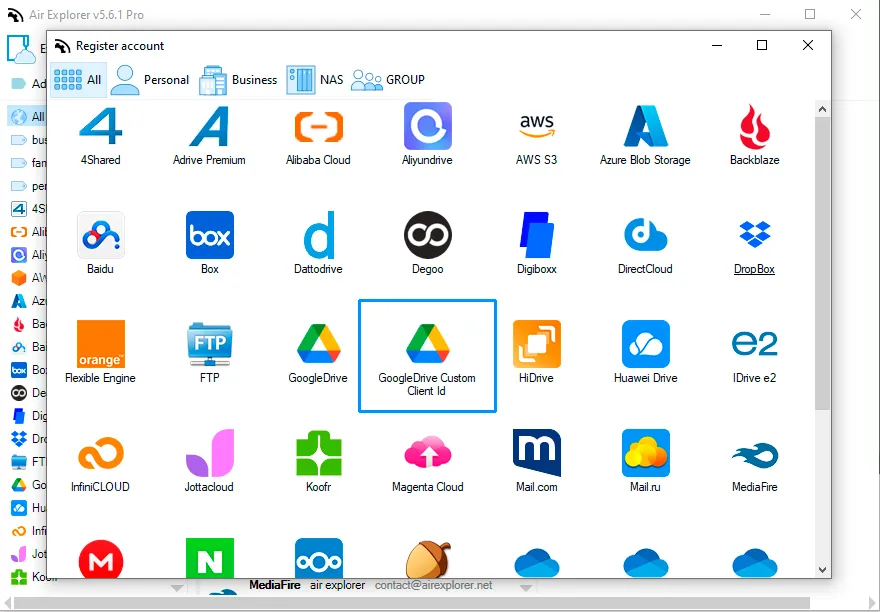
Enter the Client ID and the Client Secret.
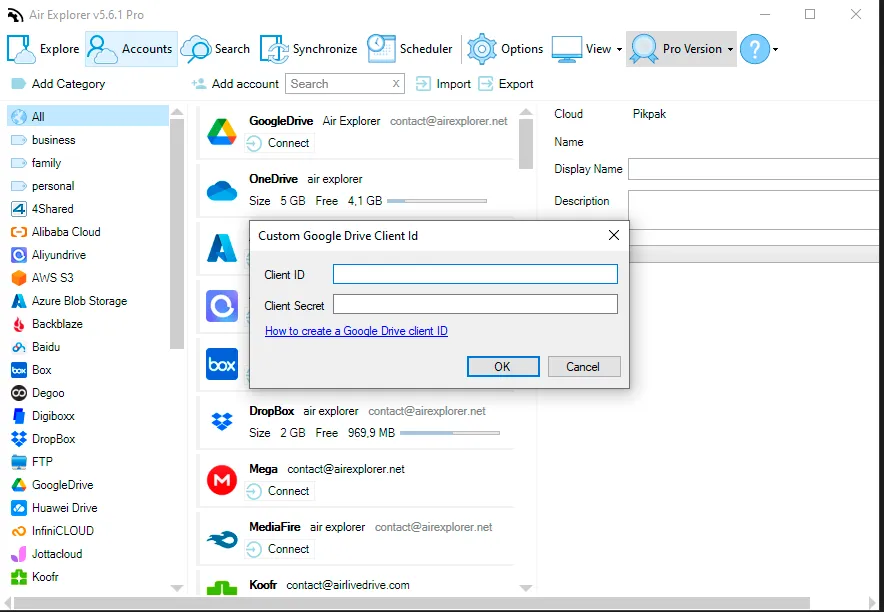
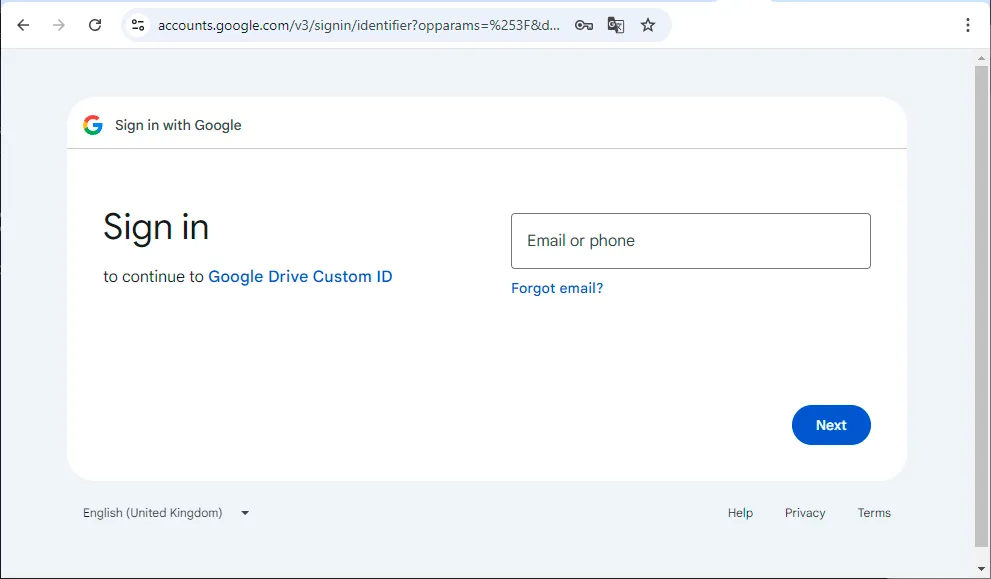
When you enter the Client ID and Client Secret, a browser window will open, prompting you to enter your email address.
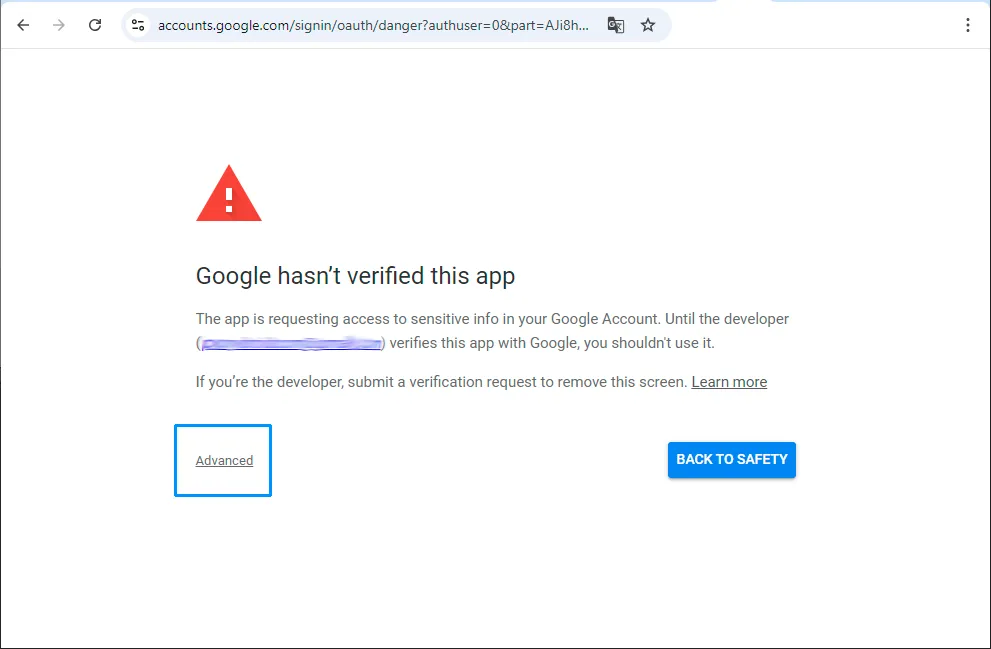
Click on “Advanced”.
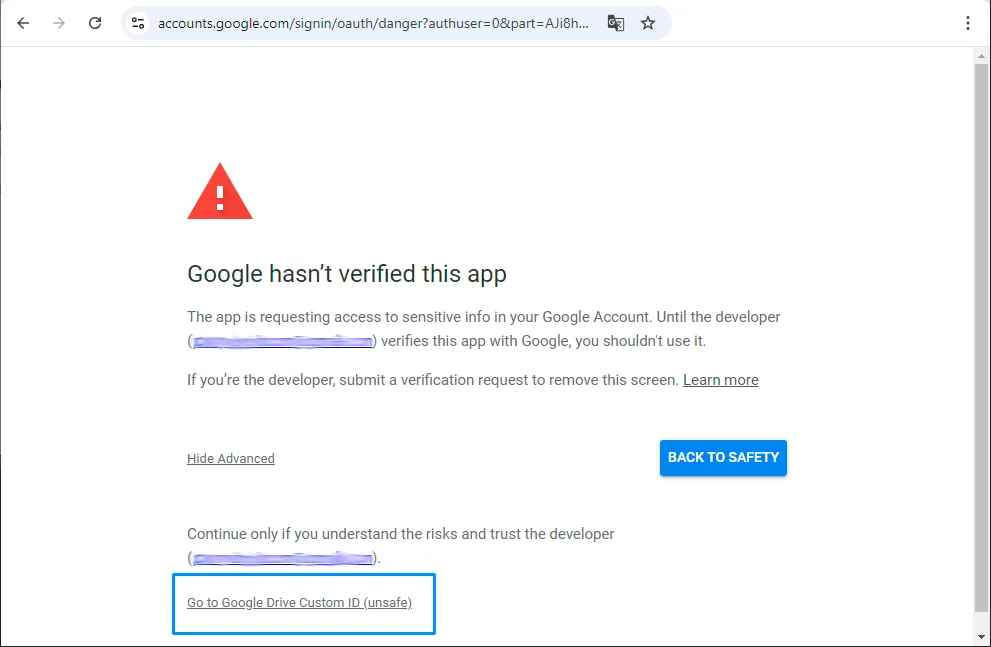
Click on “Go to Google Drive Custom ID (unsafe)”.
Click on “Continue”.
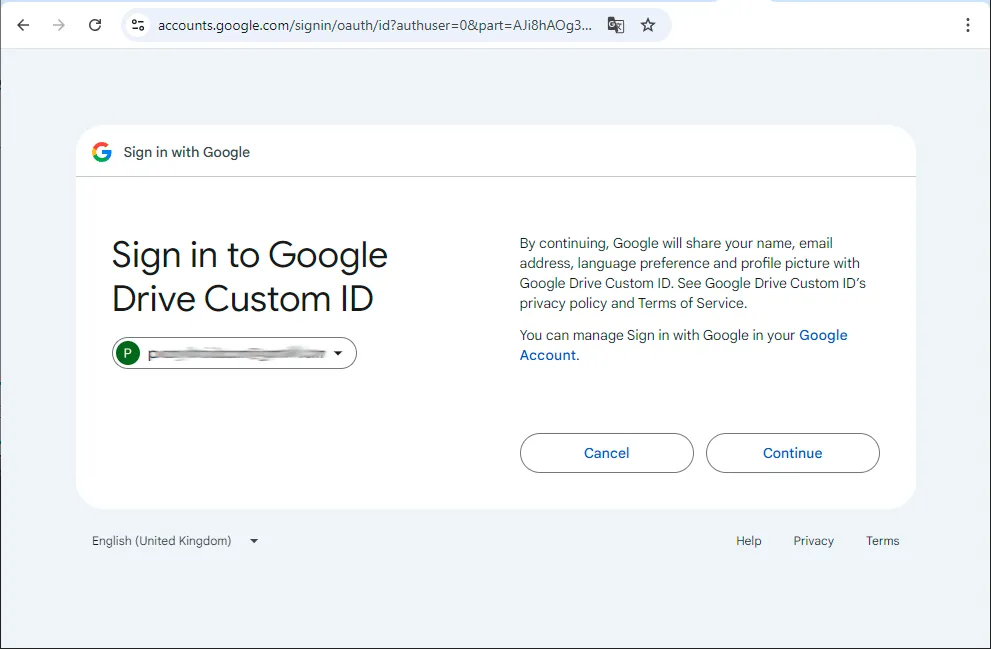
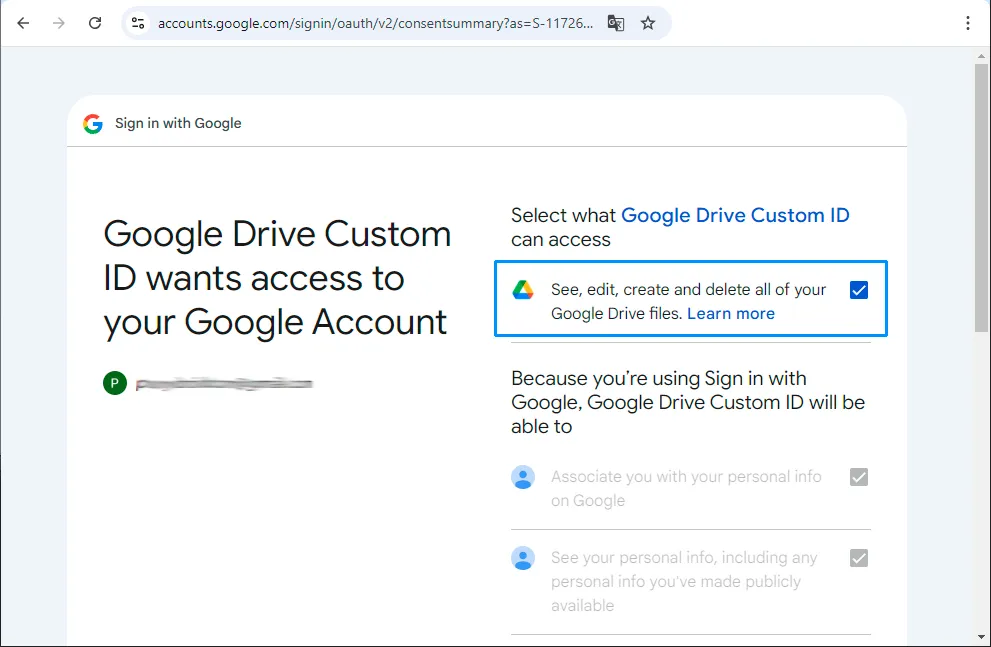
Check “See, edit, create and delete all your Google Drive files” and Continue.