
Top MultCloud alternative: Air Explorer

Air Explorer provides desktop power users with superior multi-cloud management compared to web-based tools like MultCloud. Manage 50+ cloud services with drag & drop transfers, advanced sync modes, and end-to-end file encryption, all from a native Windows/Mac interface.
What is MultCloud and why look for alternatives?
MultCloud is a web-based cloud manager that lets users transfer, sync and backup files between 30+ services like Google Drive, OneDrive and Dropbox without installing software. It supports one-click cloud-to-cloud operations and scheduled tasks through any browser.
However, many power users report limitations: no native desktop experience, dependence on internet for all operations, steeper learning curve for complex workflows and free plan restrictions that push upgrades. If you need offline access, Windows Explorer, like control or deeper automation, it’s time for an alternative like Air Explorer.

Meet Air Explorer, a powerful MultCloud alternative
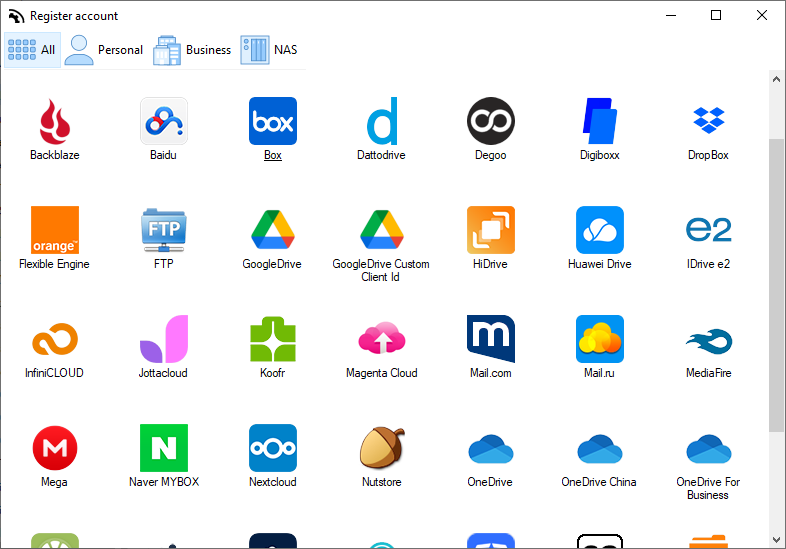
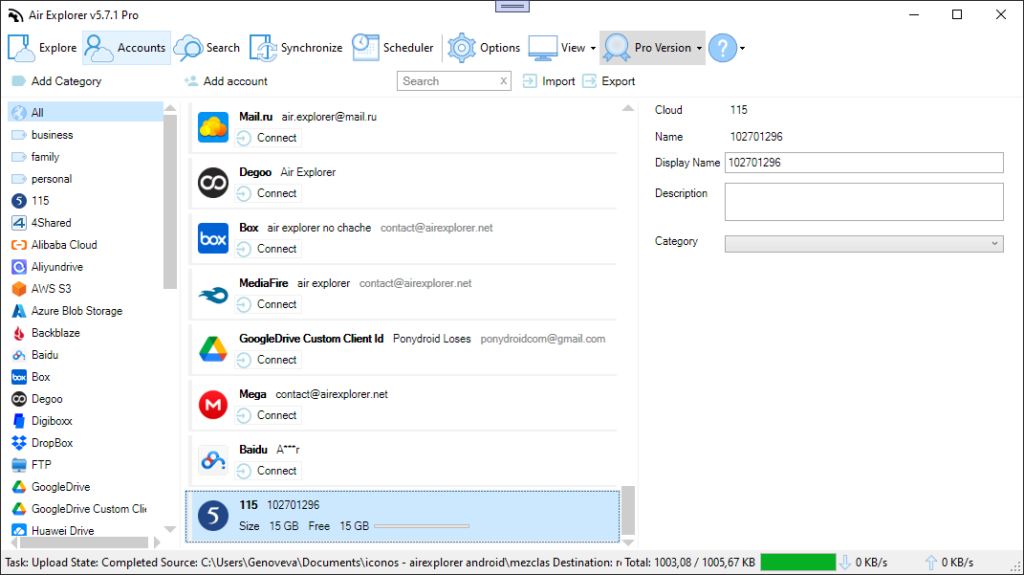
Air Explorer is a desktop application for Windows and Mac that centralizes 50+ cloud services, FTP/SFTP/WebDAV and local drives into one intuitive file explorer interface. Add unlimited accounts from the same provider (multiple Google Drives, OneDrives) and manage everything drag & drop.
Ideal for freelancers handling client files across clouds, IT admins backing up to S3/Backblaze or anyone juggling personal Dropbox, business OneDrive and NAS storage.
Key reasons Air Explorer is the best free MultCloud alternative
Native desktop experience
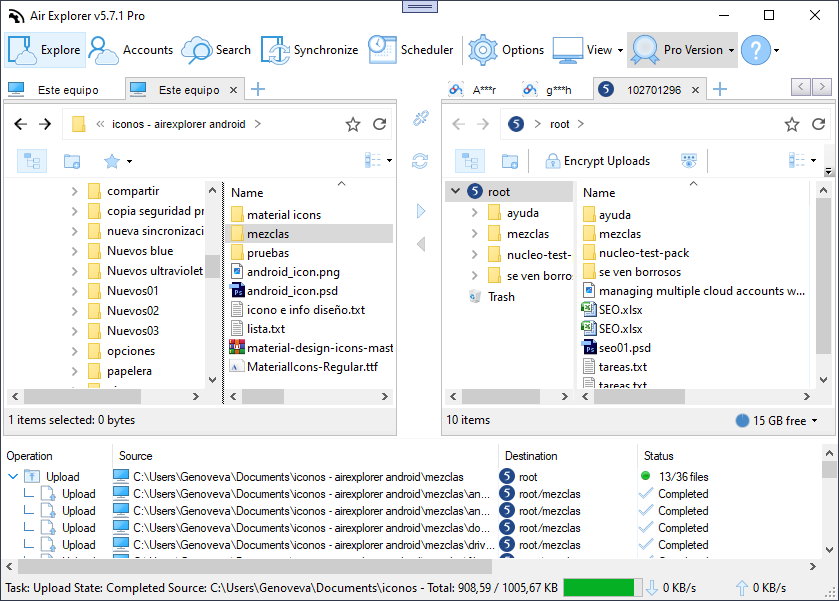
Air Explorer delivers a familiar Windows Explorer-style interface with multi-pane views, drag & drop and copy/paste between any clouds or PC folders. No more clunky browser windows – treat clouds like local drives for instant productivity.
Deep multi-cloud support
Air Explorer connects Google Drive, OneDrive (personal/business/China), Dropbox, Mega, pCloud, Box, S3, Wasabi, Backblaze, SharePoint, Nextcloud, TeraBox, PikPak, FTP/SFTP and 40+ more. Multiple accounts per service mean unlimited Google Drives or OneDrives in one app.
Unlimited transfers
Move any file size from Google Drive to Dropbox, OneDrive to S3 or PC to cloud without data caps. Real-world speed: transfer 100GB folders between services while verifying locally.
Flexible sync modes
Mirror folders one-way (cloud → PC backup) or bidirectional between services. Example: keep OneDrive projects synced with Dropbox automatically. Run multiple syncs simultaneously for complex workflows.
Scheduled automation
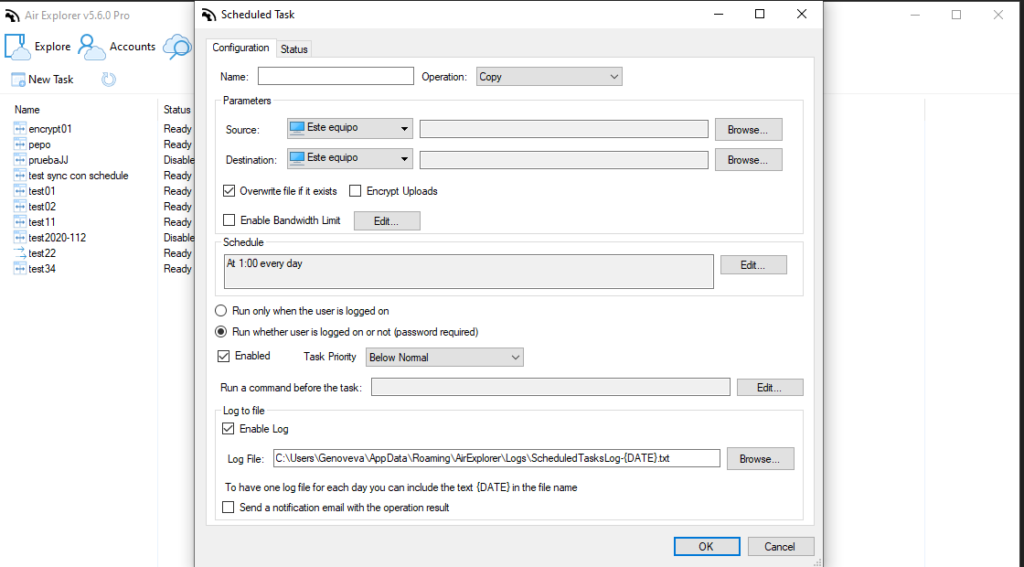
Program transfers, syncs and backups to run unattended daily/weekly. CLI tool supports custom scripts for batch operations, perfect for server automation or nightly cloud backups.
Audit-ready reporting
Generate detailed logs and sync summary reports after every task. Track what transferred, errors resolved and bandwidth used, essential for business compliance.
Security and privacy: built-in encryption
Air Explorer’s standout feature: automatic end-to-end encryption of file content and filenames on upload. Files become unreadable without your extra password, even if someone accesses your cloud account. Decrypt seamlessly on download.
Unlike transport encryption alone, this protects data at rest across Google Drive, Dropbox or S3. Ideal for sensitive client work, financial backups or any privacy-focused use case.
Real-world use cases where Air Explorer beats MultCloud
- Large migrations: Move 1TB Dropbox workspaces to Google Drive with desktop verification – pause/resume without losing progress.
- Hybrid workflows: Sync local project folders ↔ OneDrive ↔ S3 backup nightly via scheduler.
- Encrypted archiving: Securely backup family photos from Mega to encrypted Backblaze with filename obfuscation.
Air Explorer vs MultCloud: feature comparison
| Feature | Air Explorer | MultCloud |
|---|---|---|
| Platform | Windows/Mac desktop | Web browser only |
| Interface | Explorer-like drag & drop | Web dashboard |
| Clouds Supported | 50+ (S3, FTP, NAS incl.) | 30+ popular services |
| Encryption | Connections + content + filename | Connections |
| Automation | Scheduler | Web scheduler |
| Free Version | Full features | Transfer limits |
Air Explorer wins for power users needing control. MultCloud suits quick web transfers.
How to switch from MultCloud to Air Explorer
- Download the app for Windows or Mac from the official website.
- Add your Google Drive, OneDrive, Dropbox and any other services you use.
- Set up an initial test transfer or sync and, if needed, enable encryption and task scheduling.
Setup takes 5 minutes, migrate your first folder immediately.
Try the best free MultCloud alternative today
Ditch browser limitations and unlock true multi-cloud power with Air Explorer. Download the free version now for unlimited transfers, advanced sync, CLI automation and unbreakable encryption across 50+ services. Perfect for Windows/Mac users serious about cloud management.
You can check more information about more features here:
-From Dropbox to OneDrive: simplifies cloud transfers
-Cloud to cloud migration made easy
-Protect your data: Encrypting files in the cloud
