



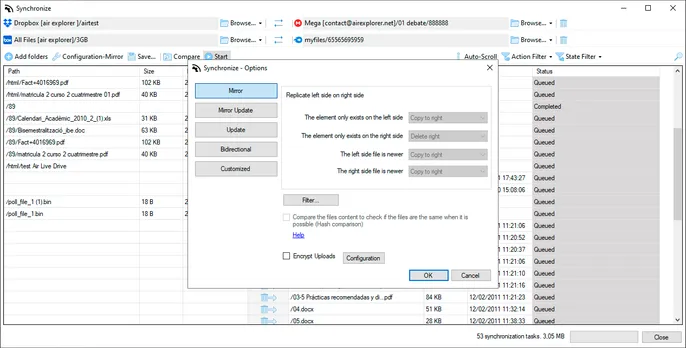
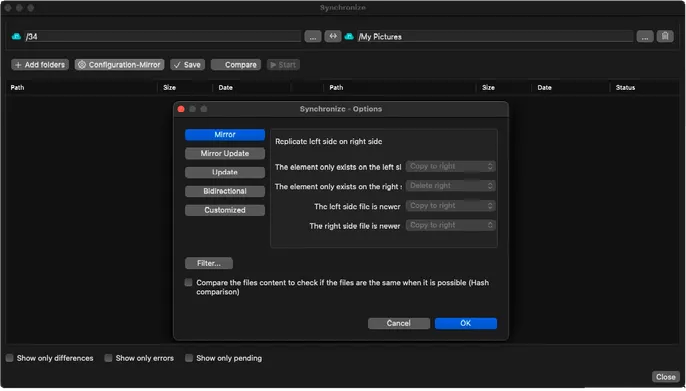

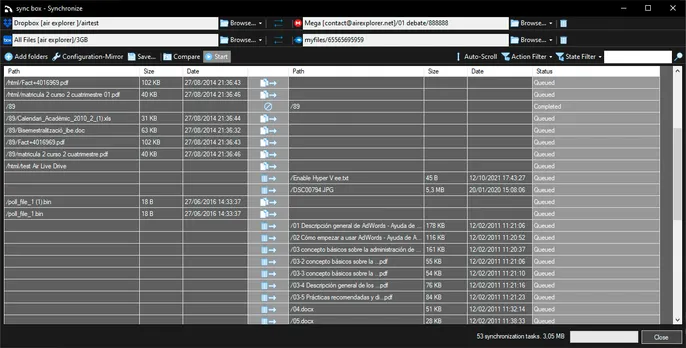

Create a synchronization between a local or cloud folder and another location, then choose the mode that best fits the task:
- Mirror: makes the destination an exact copy of the source.
- Mirror Update: copies source changes only when the source has a newer version.
- Update: adds new or changed source files without deleting existing destination files.
- Bidirectional: applies changes in both directions.
- Customized: lets you define rules for differences, deletions and conflicts.
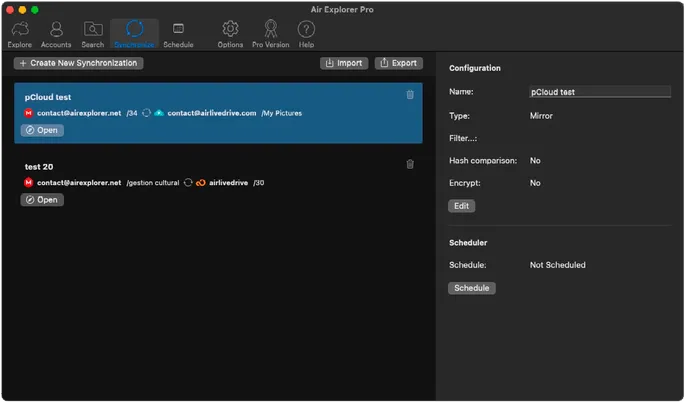
Save the configuration to run it again or schedule it.
Every sync task can be monitored from a unified task list, where you can start, pause or resume operations and review detailed logs of what was changed.
Combined with Air Explorer’s optional encryption and multi‑threaded transfers, cloud sync becomes a secure and efficient way to protect and organize your data across all your accounts.
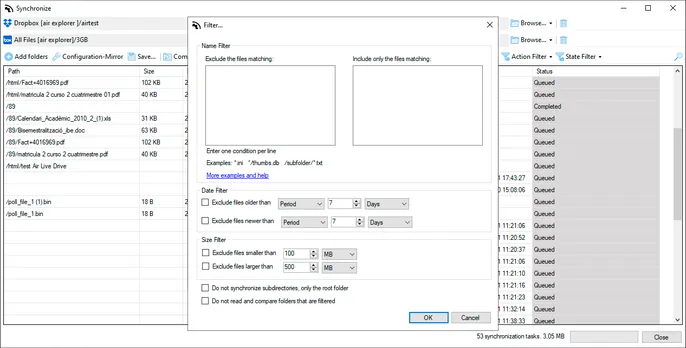
Air Explorer includes sync filters to give you precise control over which files are transferred. Exclude specific file types like temporary files (.tmp, .bak), large videos above 1GB, or hidden system files to avoid unnecessary uploads. Include only priority content such as .docx, .pdf or recent files modified in the last 30 days. Combine multiple filters by extension, size, date or path to create custom sync rules that match your exact workflow needs, saving bandwidth and keeping your cloud storage organized and efficient.