Category: manual

Air Explorer, the multicloud manager

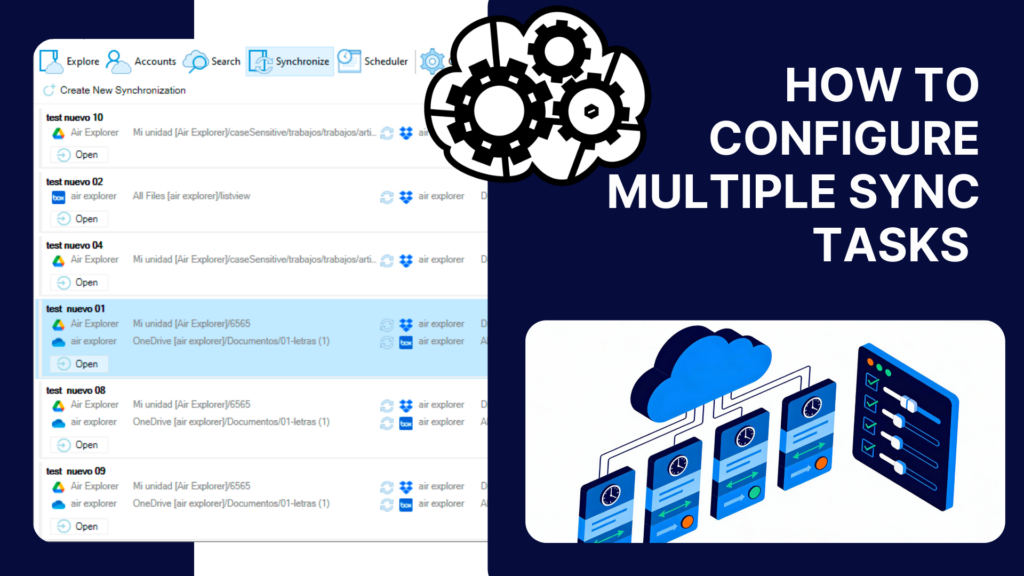
How to configure multiple sync tasks

Why multiple sync tasks matter Managing several cloud accounts and folders can quickly become overwhelming when you rely on manual transfers or single sync operations. Switching between Google Drive, OneDrive, Dropbox and local folders often leads to duplicated work, outdated files and unnecessary time spent checking whether everything is aligned. Air Explorer, a multi‑cloud manager…
Read more

Work with TeraBox easily

As our lives become increasingly digital, the need for secure and convenient storage solutions has never been greater. Cloud storage offers a reliable way to keep files protected, accessible, and easy to share across devices. Whether you’re managing personal memories or professional projects, a trusted cloud platform ensures that your documents, photos, and videos are…
Read more

From Dropbox to OneDrive: simplifies cloud transfers

Managing multiple cloud storage platforms can be a logistical headache. Whether you’re juggling personal files on Dropbox and work documents on OneDrive, or simply consolidating your digital life, transferring data between services often feels like a tedious chore. Fortunately, tools like Air Explorer make this process seamless, secure, and surprisingly fast. Dropbox and OneDrive are…
Read more

Protect your data: Encrypting files in the cloud

Cloud storage has revolutionized the way we manage and access our digital lives. From backing up family photos to collaborating on business documents, storing files in the cloud offers unmatched convenience and flexibility. But with this convenience comes a growing concern: how secure is your data once it leaves your device? Cyber threats, data breaches,…
Read more

The fastest way to move data cloud-to-clouds

The use of cloud storage has become an essential part of both personal and professional data management. Whether you’re storing family photos or enterprise reports, cloud services offer a reliable, accessible, and scalable solution. As digital ecosystems evolve and users adopt multiple cloud platforms, the need to move files efficiently between these services has grown.…
Read more

How to automate cloud backups

In a world where data rules both our personal and professional lives, safeguarding digital content has never been more critical. From family photos and work documents to entire business databases, losing files due to a technical glitch or human error can be devastating. That’s why cloud backups have become an essential tool in modern digital…
Read more

Transfer files between Google Drive and OneDrive

In an increasingly digital world, saving files in the cloud has become essential for ensuring data security and accessibility. Cloud storage provides a convenient way to preserve your important documents, photos, and files, protecting them from accidental loss or device failures. With multiple cloud accounts, users can diversify their storage options, optimize space across platforms,…
Read more

Using PikPak with Air Explorer for Mac

Imagine being able to manage all your cloud storage accounts from a single platform. With Air Explorer, that’s exactly what you can achieve. This versatile application allows you to access and manage a multitude of cloud storage services. Among these is PikPak, a powerful and user-friendly tool for file storage and sharing. Interestingly, both Air…
Read more

Save and sync files to TeraBox

In today’s digital age, managing and safeguarding data is more crucial than ever. Cloud storage has become an essential tool for individuals and businesses alike, offering a secure, accessible, and scalable solution for storing vast amounts of data. By using cloud storage, users can effortlessly back up important files, share documents with colleagues, and access…
Read more

What is Google OAuth Application ID

In the digital age, cloud storage has become essential, and Google Drive is one of the most widely used services. To access Google Drive, you need a Google account, such as a Gmail email address. For applications that interact with Google Drive on behalf of users, a Google OAuth Application ID is used. OAuth (Open…
Read more