
iCloud for Windows and Mac: How to Manage iCloud with a Multicloud Manager
July 29, 2026
Looking for a better way to manage iCloud on Windows and Mac alongside your other cloud accounts? If you use Apple devices, iCloud is where your photos, documents, and backups naturally end up. But if you also work with Google Drive, OneDrive, Dropbox, or Amazon S3, your files are trapped in isolated silos, and moving them means endless downloads, uploads, and browser tabs. A multicloud file manager like Air Explorer solves this in a single desktop application.
What Is a Multicloud File Manager?
A multicloud file manager is a desktop app that connects all your cloud storage services (more than 40 in Air Explorer’s case, including iCloud, Google Drive, OneDrive, Dropbox, Mega, and S3) into one familiar, Explorer-style interface for Windows and Mac.
The practical benefits are immediate:
- Cloud-to-cloud transfers without local downloads. Move files between clouds directly; data is processed in RAM, so transferring 50 GB from iCloud to OneDrive never touches your hard drive.
- Unified file management. Drag and drop, copy/paste, and organize files across your PC and any cloud as if they were local drives.
- Advanced synchronization. Mirror, updated, mirror updated, bidirectional, and custom sync modes between any clouds or your computer, with multiple simultaneous tasks.
- Optional encryption. Encrypt files during upload for privacy beyond what the clouds themselves provide.
- Scheduled automation. Run unattended backups and syncs on Windows and Mac with the built-in scheduler.
How to Add iCloud to Air Explorer (Step by Step)
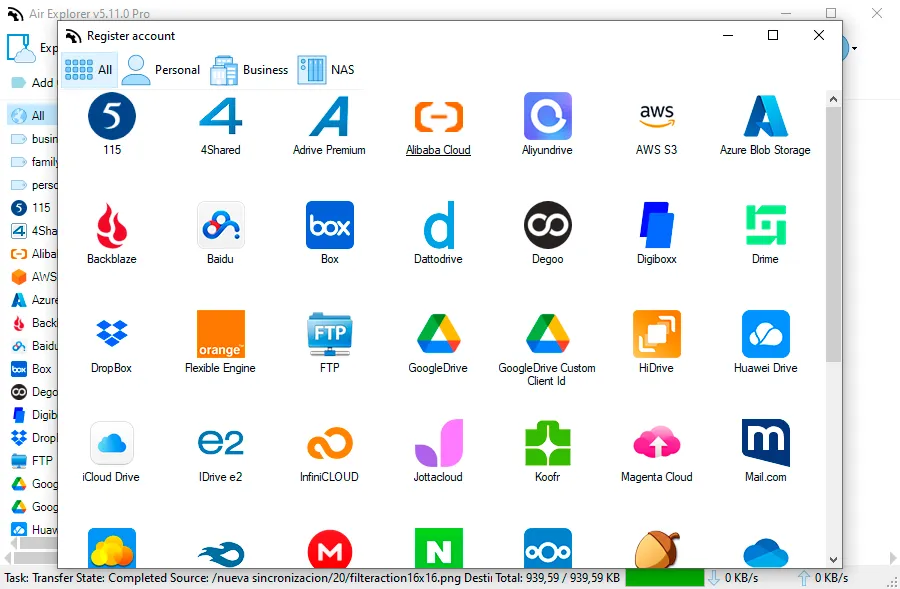
Connecting your iCloud account takes under a minute:
- Open Air Explorer and go to the Accounts tab.
- Click Add account and select the iCloud icon from the list of supported clouds.
- Enter your Apple ID credentials. Apple requires two-factor authentication, so enter the verification code sent to your trusted Apple device.
- Once validated, your iCloud Drive appears in the account list. Assign an alias if you manage multiple accounts.
From then on, iCloud behaves like any other drive inside the application.
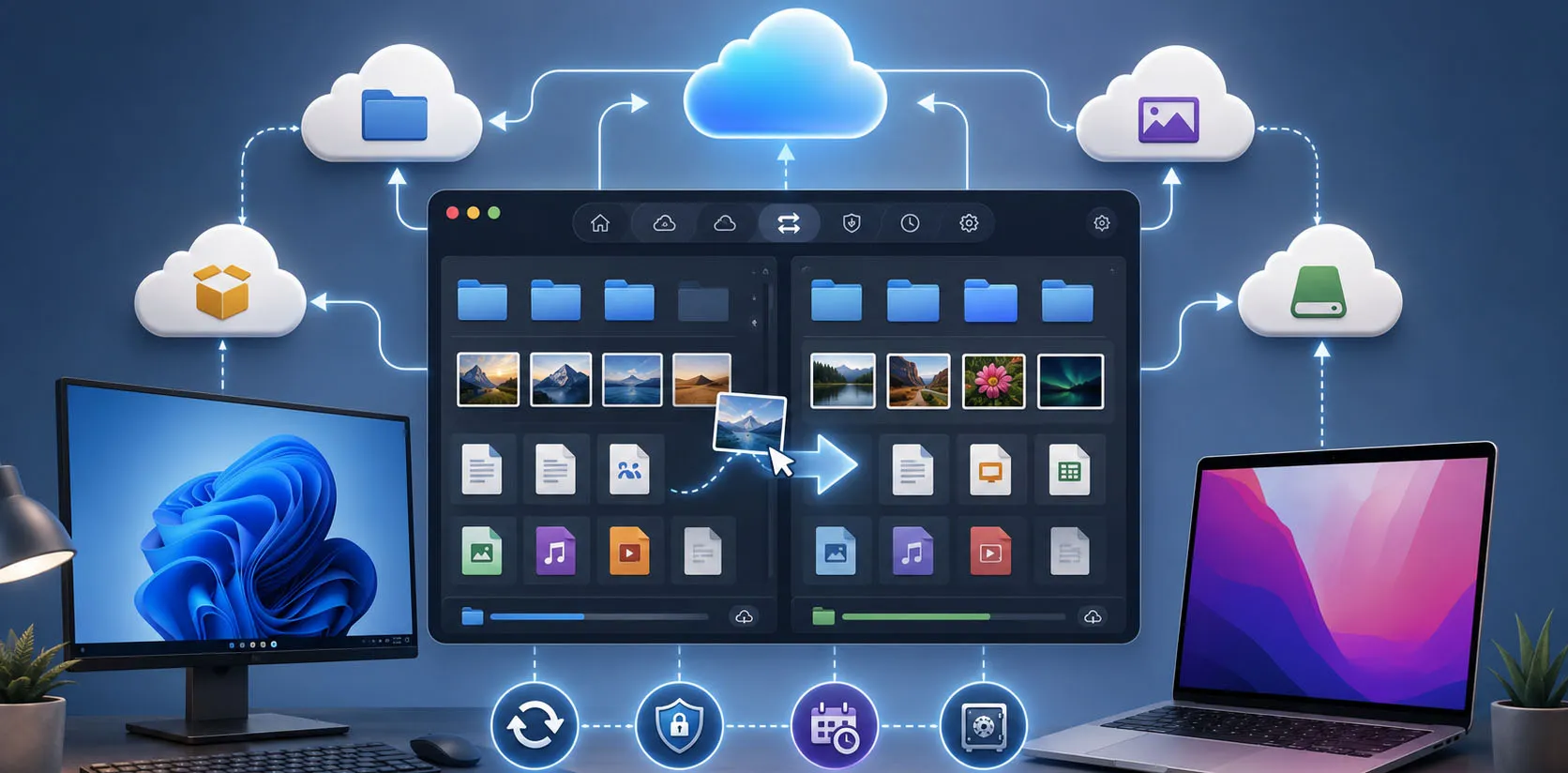
How to Use iCloud on Windows and Mac with Air Explorer
Open the Explorer tab: iCloud appears in one panel, and you can open a second cloud or a local folder in the other. Everyday tasks become effortless:
- Upload files to iCloud from Windows by dragging them from your PC , no browser, no iCloud.com limits, and no need for Apple’s limited iCloud for Windows client.
- Download entire folders from iCloud to your computer in one operation, perfect for migrating photo libraries or document archives.
- Transfer files between iCloud and other clouds with simple copy/paste, share an iCloud folder with a Google Drive user in seconds.
- Organize iCloud like a local drive: create, rename, and delete folders without friction.
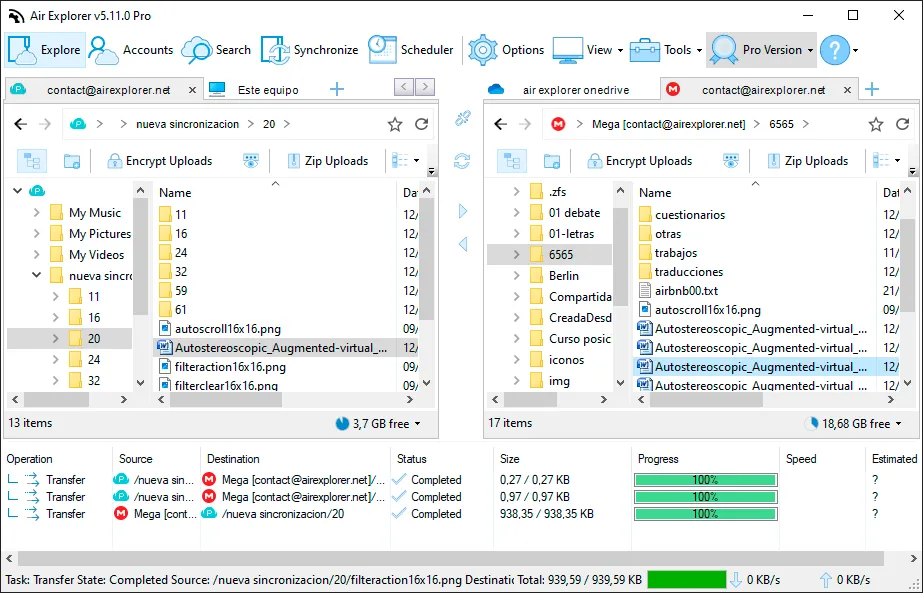
How to Sync iCloud with Google Drive, OneDrive, or Your PC
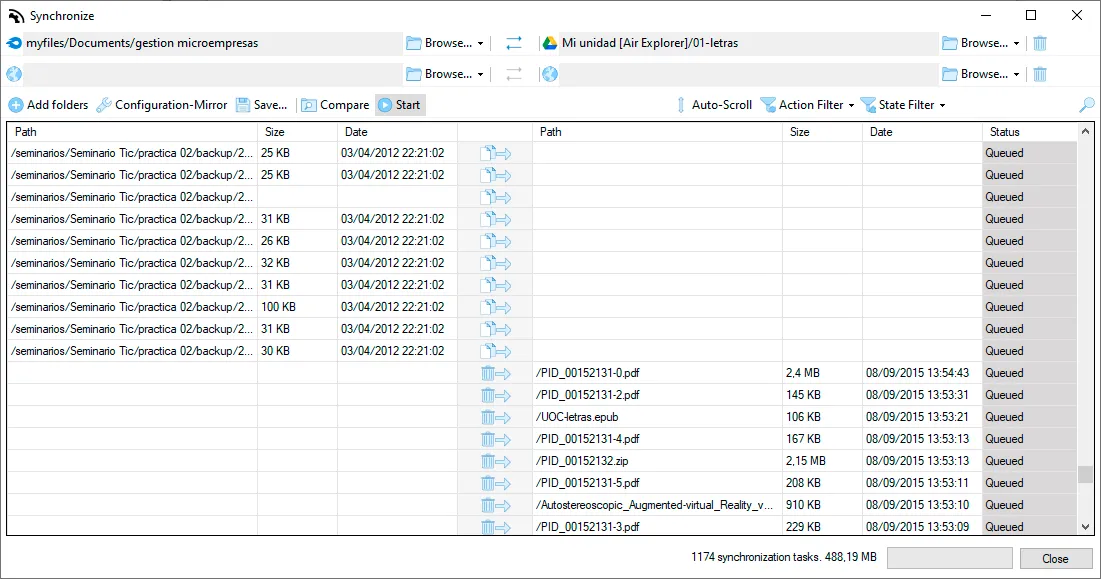
This is where a multicloud manager truly shines. Air Explorer’s synchronization tool creates persistent, repeatable iCloud sync tasks with any destination:airexplorer
- Go to the Synchronizations tab and click Create a new synchronization.
- Choose the source (your iCloud folder) and the destination (Google Drive, OneDrive, Dropbox, or a folder on your PC).
- Select the sync mode: mirror (exact replica), bidirectional (changes flow both ways), updated mirror, or a custom configuration with your own rules.
- Click Compare to preview every action, then Start to run it.
- Save the task and schedule it, nightly, weekly, or whatever fits your backup strategy.
Benefits of Managing iCloud in a Multicloud App
Using iCloud inside a multicloud manager unlocks advantages Apple’s ecosystem alone can’t offer:
- Real backups, not just sync. Apple syncs files, but sync is not backup, an accidental deletion propagates everywhere. Mirroring iCloud to Dropbox or S3 on a schedule creates a genuine second copy.
- Full iCloud access on Windows. Manage all your iCloud content from a PC without installing Apple’s restricted Windows client.
- Escape the 5 GB free tier. Offload older files to cheaper or larger services like Backblaze, Mega, or pCloud while keeping iCloud lean.
- One workflow for mixed environments. Sync iCloud alongside the services your colleagues use, so collaboration no longer depends on anyone’s preferred ecosystem.
Conclusion: One App for iCloud and All Your Clouds
iCloud works brilliantly inside Apple’s walls, but real digital life crosses those walls daily. A multicloud manager for Windows and Mac turns iCloud into a first-class citizen of your complete storage strategy: direct cloud-to-cloud transfers, synchronization with your PC or any other service, optional encryption, and fully automated scheduled backups. Download Air Explorer, add your iCloud account in two clicks, and manage all your clouds from a single window
You can check more information here:
-Google Drive vs Azure
-Digiboxx backup tool
-Synchronization tool for Terabox