
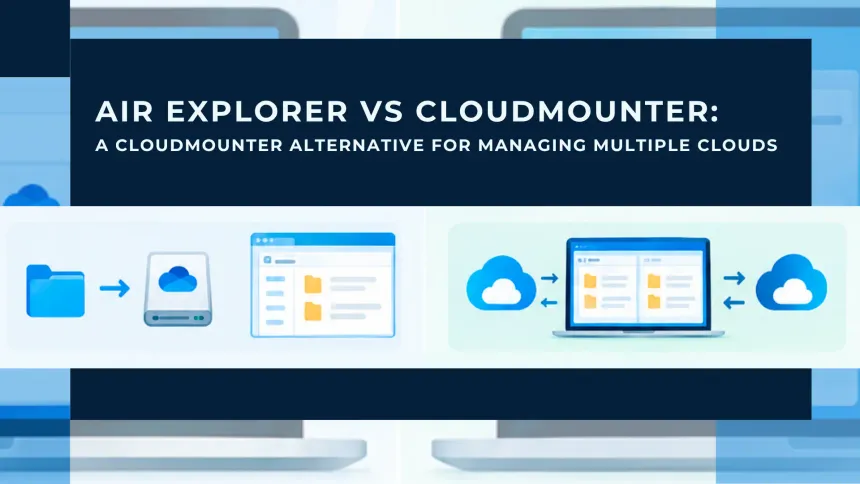
Air Explorer and CloudMounter both connect your cloud accounts to your computer, but they do it in different ways. CloudMounter mounts each cloud as a drive, so you open your files from Finder or File Explorer as if they were on a local disk. Air Explorer is a file manager built for several clouds at once: you see two accounts side by side and move, sync, encrypt and schedule files between them. If you only want your cloud to show up as a drive, CloudMounter does that job. If you move data between services, keep backups in sync or automate cloud tasks, Air Explorer is the better fit, and the CloudMounter alternative this comparison is about.

What CloudMounter Does
CloudMounter is an app for Mac and Windows that mounts your cloud accounts as drives on your computer, so you can open them from Finder or File Explorer. It works if all you want is to see your files there, but that is where it stops: copying a large folder to another cloud or keeping two folders in sync depends on the operating system’s file manager, which was not designed for remote storage.
What Air Explorer Does
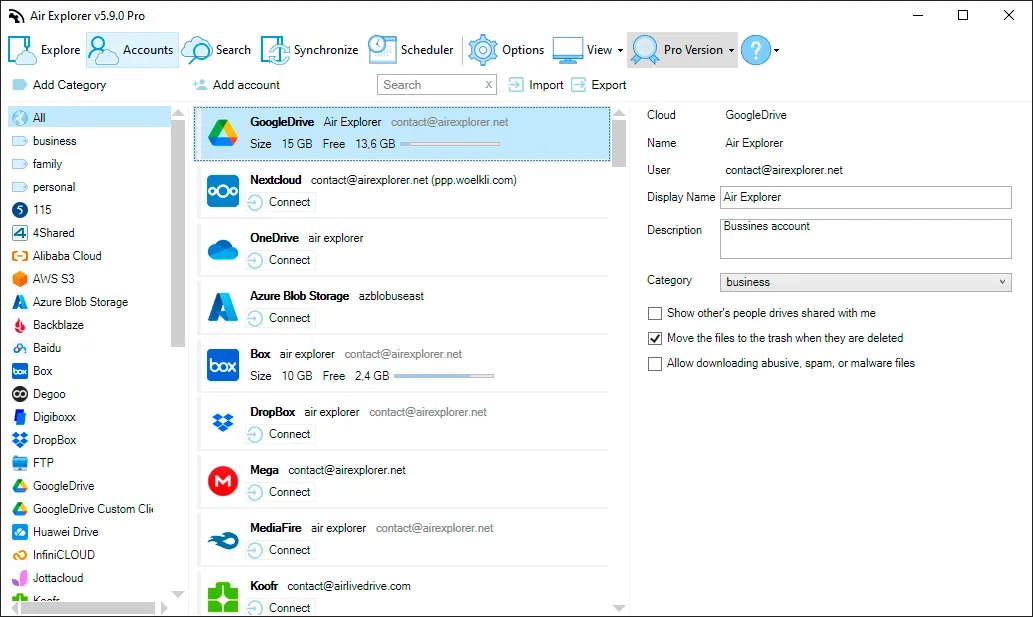
Air Explorer is a desktop app for Windows and Mac that brings more than 40 cloud services into one window. Google Drive, OneDrive, SharePoint, Dropbox, Box, MEGA, pCloud, iCloud Drive, TeraBox, Amazon S3 and S3-compatible storage, Nextcloud, Yandex and many others sit next to your local folders and FTP, SFTP or WebDAV servers. You can open two panes and drag files from one cloud to another, and add several accounts from the same service, such as a personal and a work Google Drive.
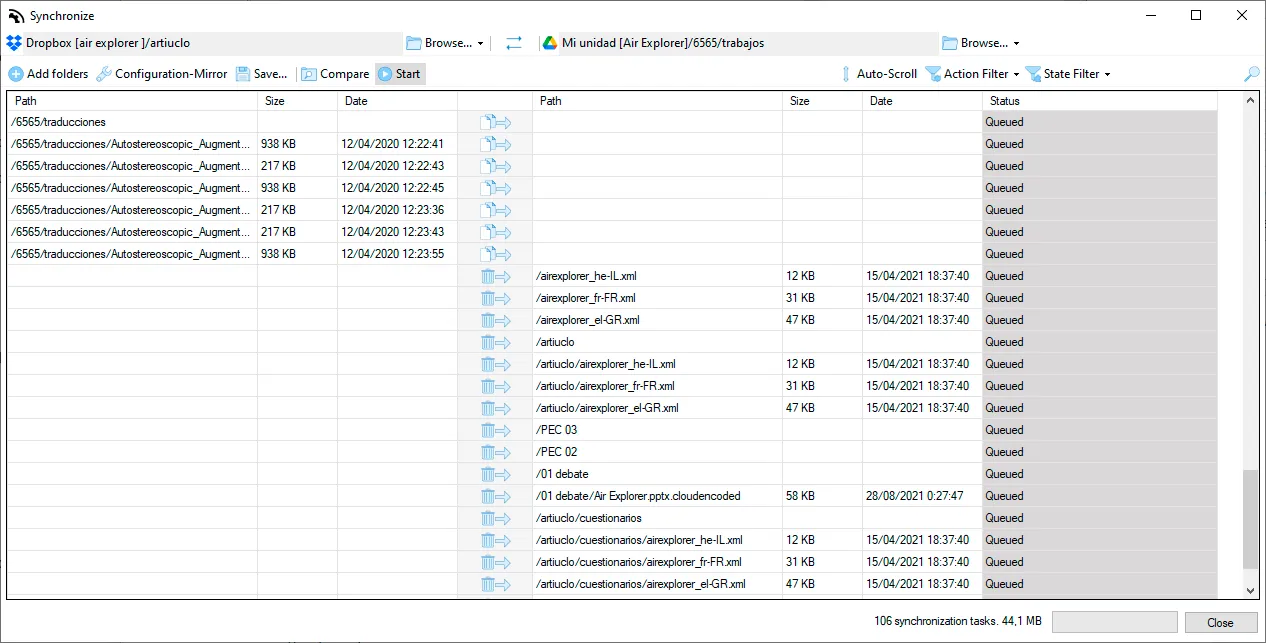
What sets it apart is what happens after the transfer starts. Air Explorer handles the queue itself, retries files that fail and lets you pause and resume. Its sync tool compares two folders before copying anything and works in mirror, mirror update or bidirectional mode, between two clouds or between your computer and a cloud. You can save those syncs, run them on a schedule, launch them from the command line or, since version 5.11, ask an AI assistant such as Claude Code, ChatGPT or Google Antigravity to do it for you in plain language.
You don’t need to create an account to use it. You download the program, add your own cloud accounts and start working, and your files travel directly between your computer and each cloud, never through Air Explorer’s servers.
Air Explorer vs CloudMounter: Side-by-Side Comparison
| Air Explorer | CloudMounter | |
|---|---|---|
| Approach | Multi-cloud file manager | Mounts clouds as drives |
| Platforms | Windows and Mac, plus an Android app | Mac and Windows |
| Supported services | 40+ clouds, plus FTP, SFTP and WebDAV | 12 on Mac, fewer on Windows |
| Several accounts from the same cloud | Yes (unlimited in Pro) | Yes |
| Cloud-to-cloud transfers | Two-pane window with its own queue, retries and pause | Drag and drop between mounted drives |
| Folder sync | Mirror, mirror update and bidirectional | Not listed on its website |
| Scheduled tasks | Yes (Pro) | Not listed on its website |
| Command line | Yes (Pro) | Not listed on its website |
| AI assistant control | Yes, on Windows and Mac (Pro) | Not listed on its website |
| Client-side encryption | AES-256, file contents and names (Pro) | AES-256 |
| Open cloud files in other apps as if they were local | Not its job: use Air Live Drive | Yes, that is its main feature |
Is Air Explorer Safe? How Its Encryption Works
When you enable encryption, Air Explorer encrypts each file on your computer before it is uploaded, using AES-256 with a key derived from your password. It also encrypts the file names, so anyone who opens the cloud folder in a browser sees only scrambled names, not what the files are called. The password never leaves your computer, and the cloud provider only stores data it cannot read.
You can choose which uploads to encrypt, and the free version can always open files that were encrypted with Pro, so your data never depends on keeping a license. The file encryption page explains how to set it up, and the guide on how to encrypt Google Drive files walks through a real example.
CloudMounter also uses client-side AES-256, so both programs protect file contents in the same way. The difference is in the file names, which CloudMounter does not mention encrypting, and in the fact that Air Explorer applies encryption to transfers and syncs between any of its 40+ services.

CloudMounter or Air Explorer: When to Choose Each One
CloudMounter makes sense if your goal is simple: you want to see Dropbox or Google Drive in Finder and open a document from there now and then. You won’t use a separate window, and for occasional access that is often enough.
Air Explorer is the better choice when the cloud is part of your work rather than just a place to keep files. That includes moving an entire account from one service to another, keeping a backup of your Google Drive in OneDrive or Backblaze, managing client folders across several accounts, or running the same sync every night without thinking about it. If what you really need is to mount your clouds as drives, we make a program for that too. Air Live Drive mounts your cloud accounts as disks on Windows and Mac, and many users run it alongside Air Explorer: one to open files from any program, the other to move, sync and back them up. The post on Air Explorer vs Air Live Drive explains how they fit together.
Frequently Asked Questions
What is the best free alternative to CloudMounter?
It depends on what you use CloudMounter for. If you use it to move, sync or back up files between clouds, Air Explorer does that in its free version, with more than 40 services on Windows and Mac. If you use it to see your clouds as drives in Finder or File Explorer, the closest alternative is Air Live Drive.
Can Air Explorer mount a cloud as a drive?
No. Air Explorer works in its own window, which is what allows it to manage transfer queues, syncs and encryption. To mount your clouds as drives in Finder or File Explorer, use Air Live Drive.
Is Air Explorer free?
Yes. The free version lets you browse your clouds, transfer files between them and sync folders, with one account per service. Air Explorer Pro adds unlimited accounts, encryption, scheduled tasks, the command line, AI assistant control and unlimited simultaneous transfers.
Does Air Explorer work on Mac?
Yes. Air Explorer runs on Windows and Mac, and there is also an Android app. You can download it for either system from the same page.
Do my files pass through Air Explorer’s servers?
No. Air Explorer connects your computer directly to each cloud service, so your files and your account credentials stay between you and your providers.